



One app - many solutions for your business

Set the dynamics for your business
Mobile app for business customers. Download the app.



Easy card activation via the app
Use the Activate card button - just one click and the card is active.

How DSK Business
helps your business
.webp "Готови-бланки-за-бързи-преводи (1)")
Saved templates for fast transfers
Save transfer templates and reuse them without re-entering information.
.webp "Преводи-и-трансакции (1)")
Transfers and transactions
Transfers to budgets, own accounts, BISERA, Blink, SEPA, SEPA Instant, and SWIFT.
.webp "Търсене-и-филтрация-на-трансакции (1)")
Transaction search and filtering
Find your banking transactions quickly and easily. Filter by date, month, or custom period, and search by keywords such as counterparty name, payment description, reference number, or IBAN.
.webp "Сигурен-контрол-и-управление-на-карти (1)")
Secure control and management of cards
With a single click, lock or unlock your bank cards and set limits for ATM withdrawals, POS payments, and an overall daily limit.
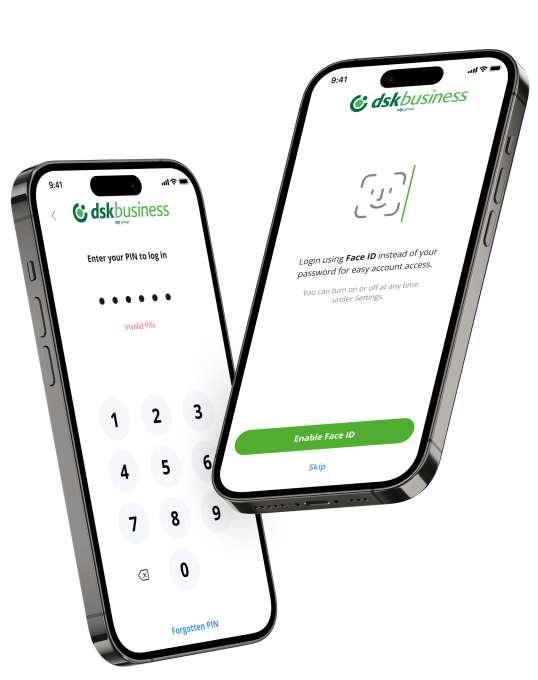
PIN and Biometric login
You can set a PIN or use Touch ID and Face ID to login immediately after the initial activation.
If you miss it during your first login, you can add it at any time through the Settings menu.
Feedback from DSK Business users
Frequently asked questions
To access DSK Business, you must be a DSK Bank customer and have requested access to the bank's electronic channels. You will then receive an email with a link to an online page to create a username and password to access DSK Direct and DSK Business.
Download DSK Business from Google Play or App Store on your mobile device. Start the app and enter your username and password that you have already created, then press the "Login" button. You will receive a 6-digit SMS code that your mobile device will recognize and enter automatically. If necessary, you can also enter the code manually. You now have DSK Business mobile banking activated on your mobile device.
You can log in to the DSK Bank mobile banking app with the username and password you have created. When you activate DSK Business, the first time you log in to the app, you can set quick login parameters - PIN code or biometric access. These are finger ID or face recognition (Touch ID/FaceID).
No, a user can only access the app through one device at once. If he successfully logs in on a second, his activation on the first will be deleted.
No, there can only be one activated user per mobile device. If a user represents more than one customer and each customer has a separate username and password, the user must visit a DSK Bank office and obtain a unified account. With this unified profile, he/she will have access to the accounts of all the customers he/she represents.
With DSK Business, you can easily make budget transfers, Blink, BISERA, SEPA, SEPA Instant, SWIFT, as well as transfers between your own accounts in BGN, EUR, GBP, and CHF within the country and abroad. From the ‘Transfers’ menu, select ‘New transfer’ and specify the desired type. At each step, you can see the exact fee by clicking on the ‘Details’ button. For regular payments, you can save transfers as transfers templates, which allow you to send funds faster and more conveniently. Saved transfer templates can be edited (name, amount, description) or deleted.
Yes, the app allows you to track balance, details and payments account movements.
Yes, from the "Loans" menu in the app you can get balance, payment and due date information for the loans you have with DSK Bank.
Yes, you can keep track of contract term, amount and currency through the Deposits menu.