With blink P2P in DSK Mobile
Send money in seconds, with no fees, using blink P2P transfers by mobile number:
- All you need is the recipient’s mobile number;
- Transfers arrive instantly;
- Send money to your accounts and accounts at other banks with no fees.
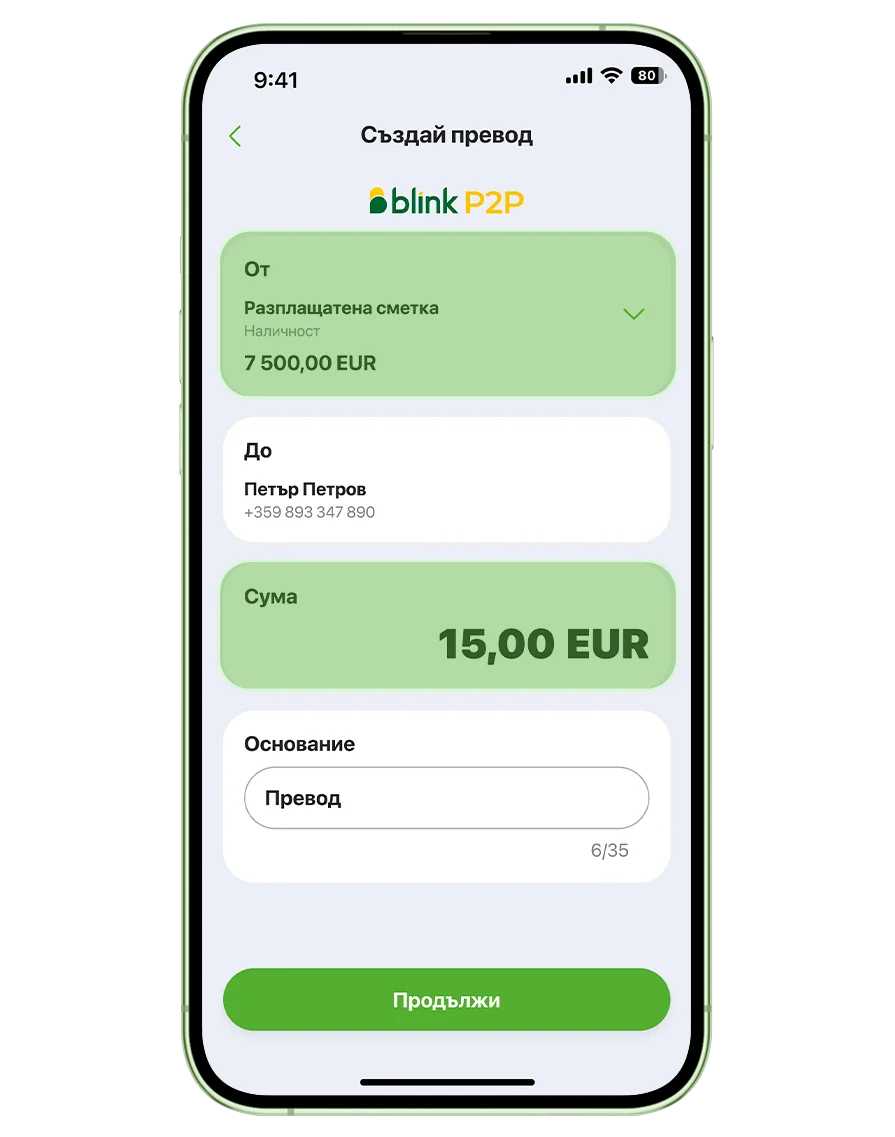
How to make blink P2P transfers by mobile number?
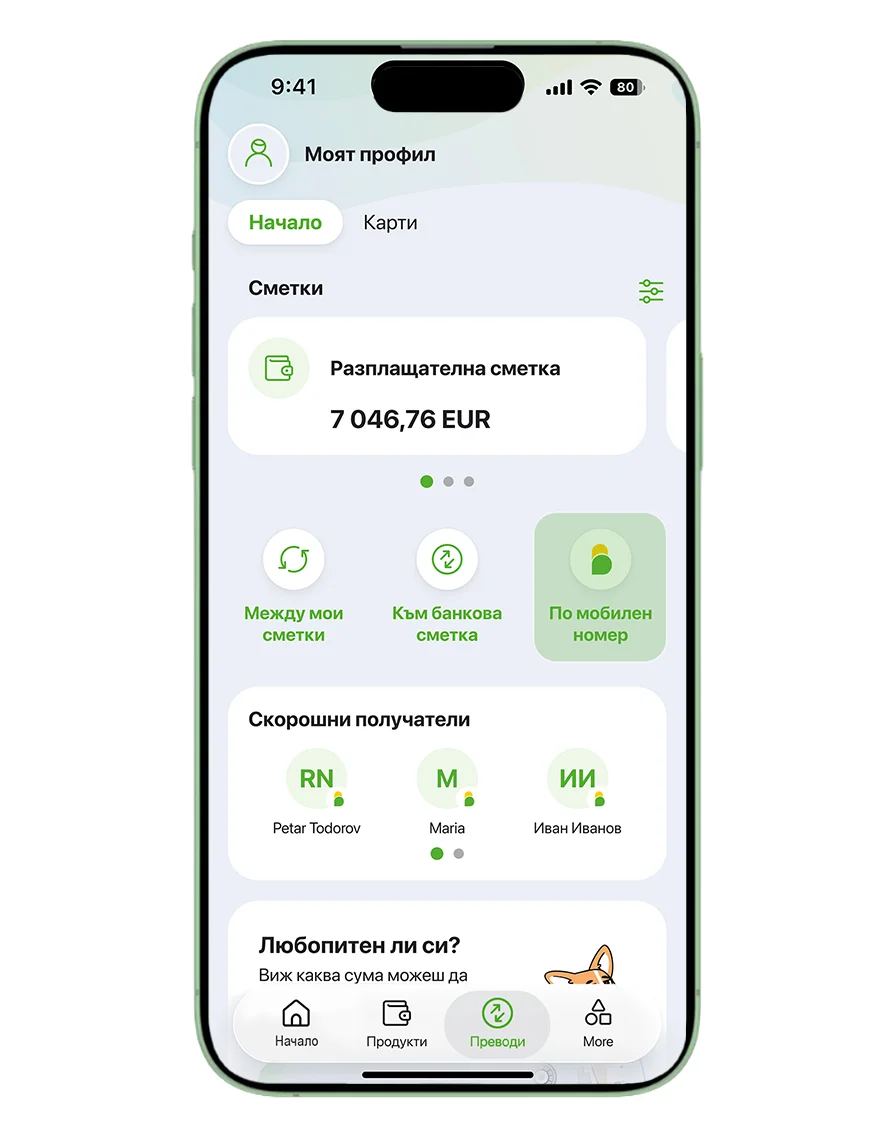
Step 1
Select "By mobile number" from the home screen or the "Transfers" menu.
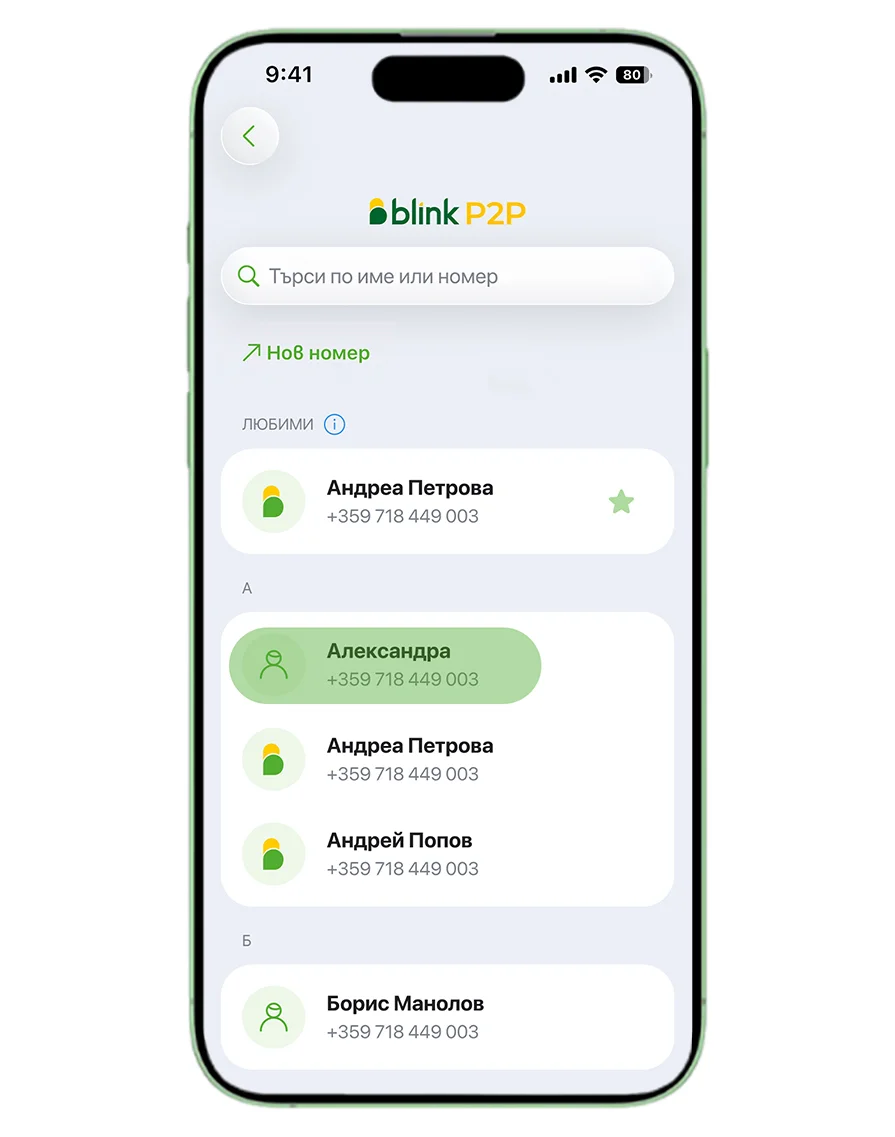
Step 2
Select a recipient from your contacts.
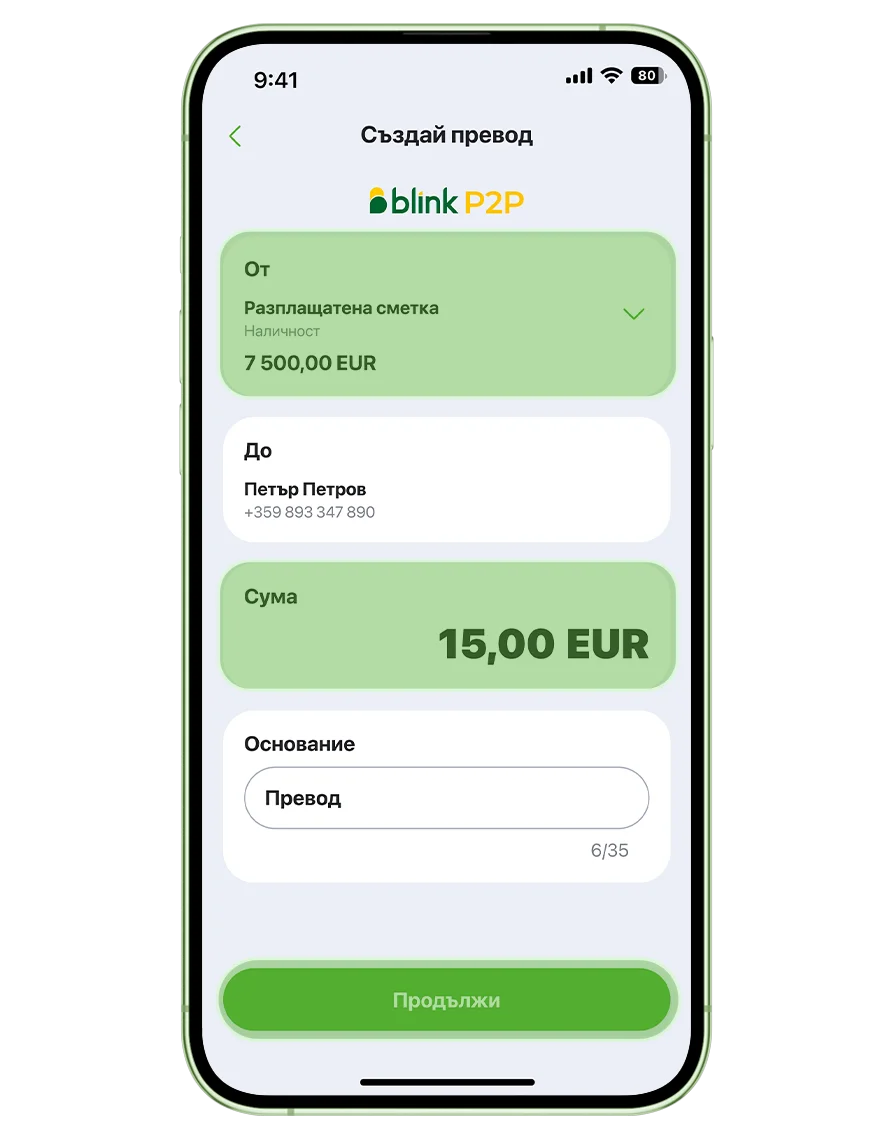
Step 3
Choose an account, enter the amount and add a payment reference.
Step 4
Review the details and confirm the transfer.
.webp "Confirm transaction in mobile app")
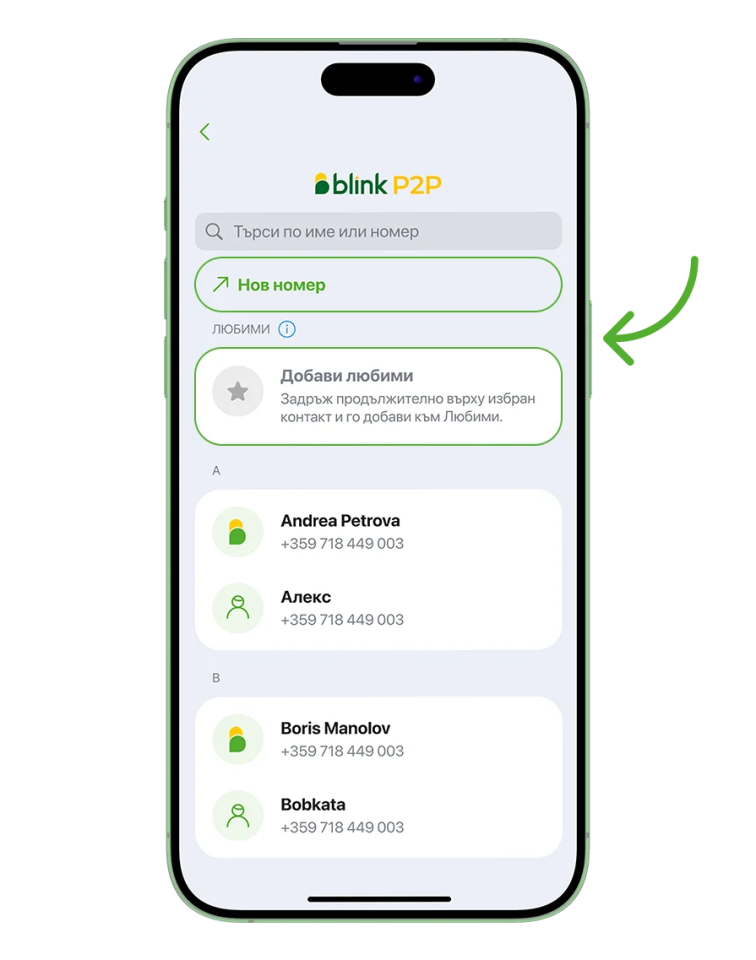
In DSK Mobile, you’ll see a list of the contacts saved on your phone:
- Use New number to send money to a number that isn’t saved in your contacts;
- Press and hold a contact to add it to Favorites
- Contacts
marked with the
 use the blink P2P service.
What do you need to know?
.webp "Blink P2P to mobile number")
Log in to DSK Mobile, open Transfers and select Transfer by mobile number. You can also start directly from the home screen. Then select a contact from the list or enter the phone number manually if it is not saved in your contacts. Enter the amount and confirm with your PIN or biometrics.
Transfers by mobile number are instant and free of charge, regardless of the recipient’s bank. Transfers are available only in euros and only to individuals.
You can find a list of all banks to which you can make blink P2P transfers here.
In DSK Mobile, you can send up to EUR 15,000 by mobile number. Transfers are free of charge.
1. Log in to DSK Mobile.
2. Select By mobile number from the home screen or Blink P2P from the Transfers menu.
3. If you are not registered for the blink P2P service, you need to activate it.
4. Select an account for receiving blink P2P transfers if you have more than one account. The account used for receiving mobile transfers must be a euro current account.
5. Allow access to your contacts.
6. Done! You can now use the service.
1. Open DSK Mobile.
2. Go to My Profile.
3. Select blink P2P.
4. Choose a different account for incoming transfers.
The blink P2P mobile number transfer service at DSK Bank will be automatically activated after you log in to DSK Mobile. You only need to allow access to your contacts.
These are recipients you frequently want to send money to. They will appear at the top of your contact list in DSK Mobile when you go to Transfers > Blink P2P.