
More possibilities, greater stability and easier banking

DSK Mobile is now available for you
If you are a foreign citizen, visit any DSK Bank branch and our team will help you activate and set up DSK Mobile on your phone.
Services in DSK Mobile
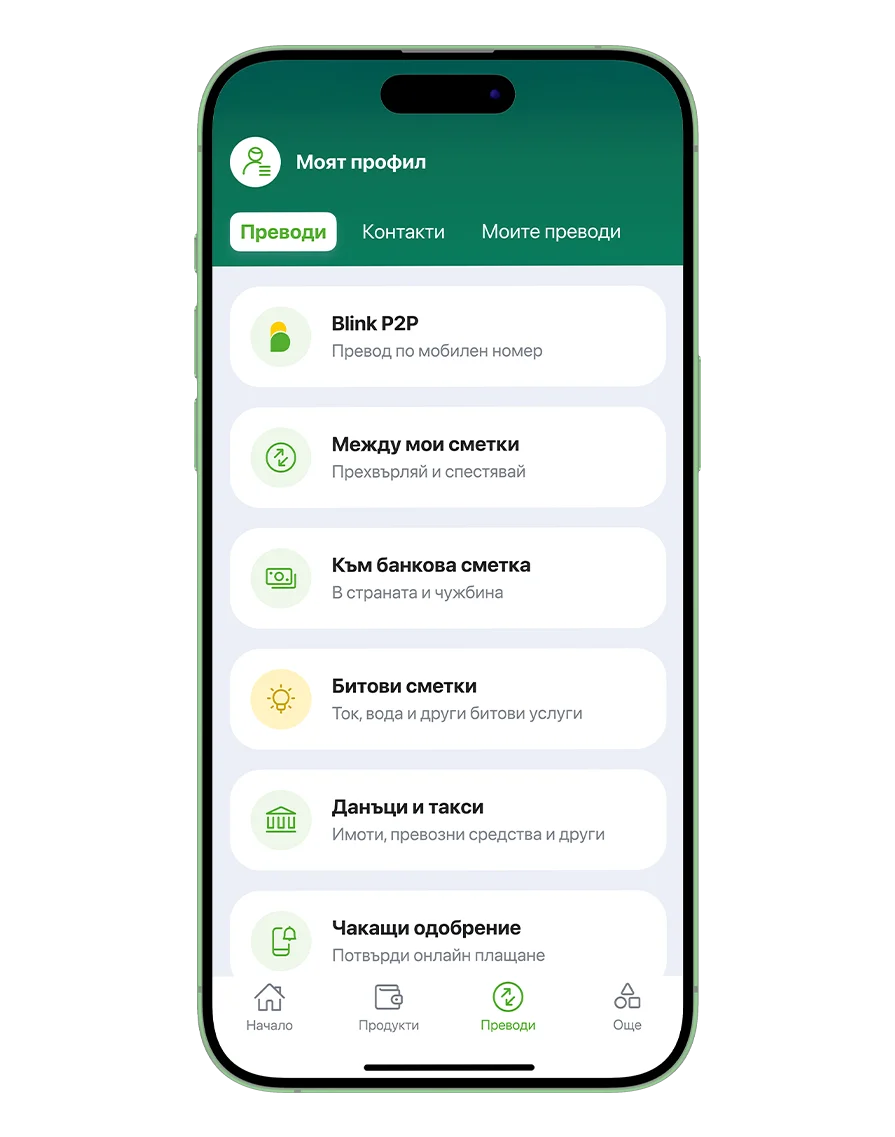
Pay and manage your money easily
•Send money by mobile number •Transfer to a bank account •Utility bills and taxes •Transactions enrichment
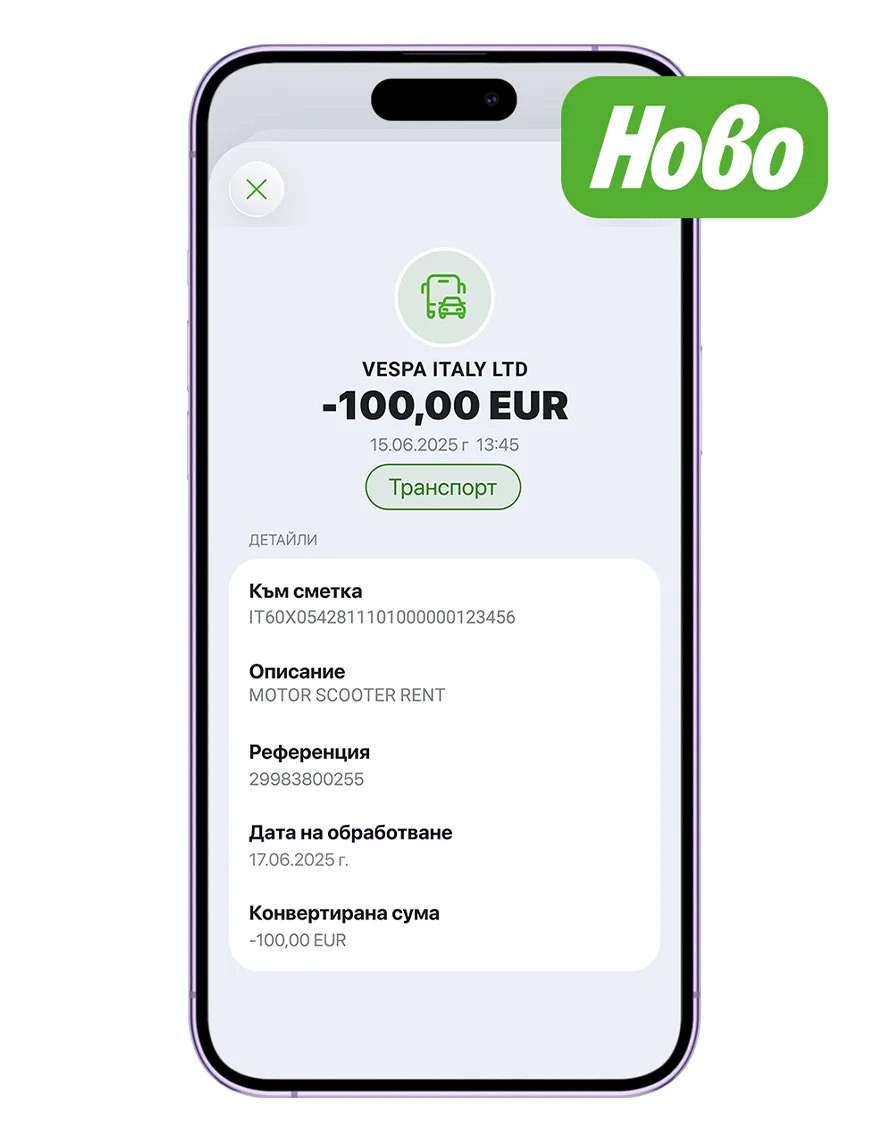
More details about your transactions
•Track your payment history more easily •See the exact time of the transaction •Identify the merchant more easily •View the expense category
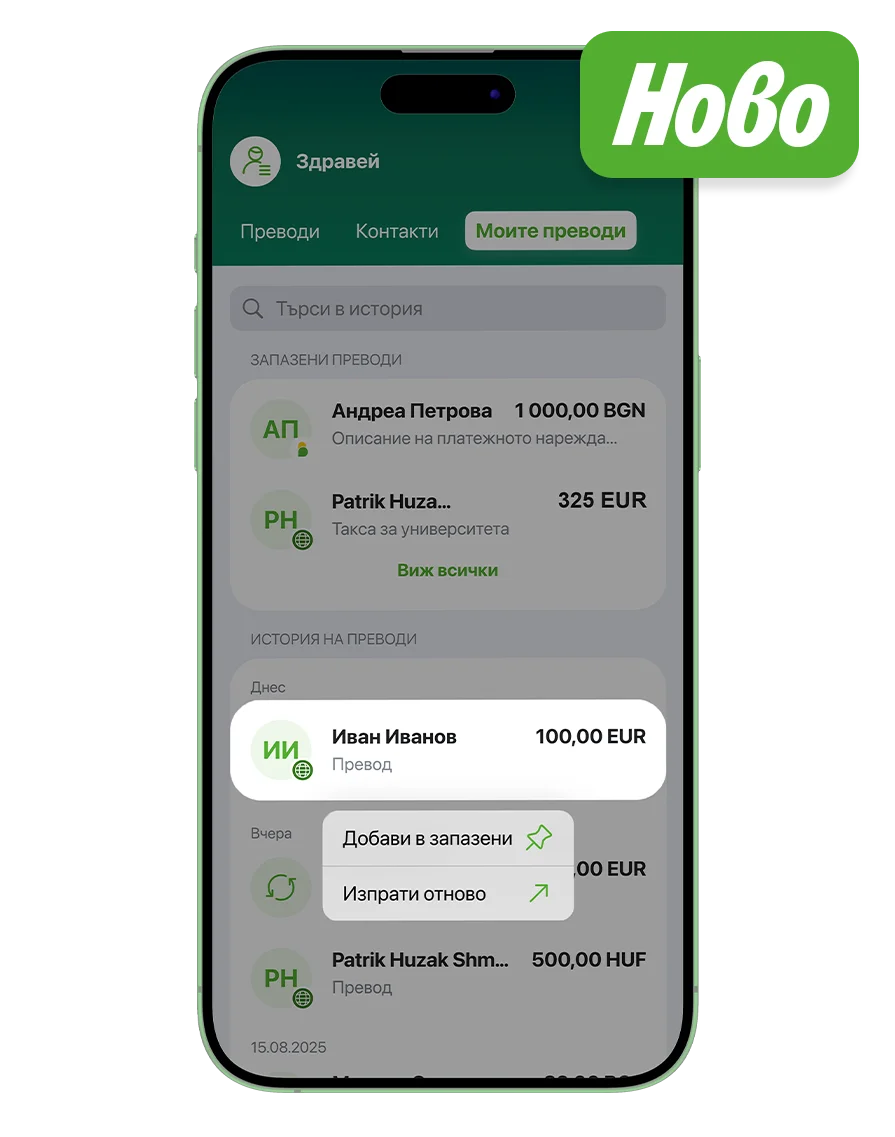
Saved transfers and contacts
•Save a transfer as a template and repeat it in just a few taps •Save contacts and send money without entering IBAN
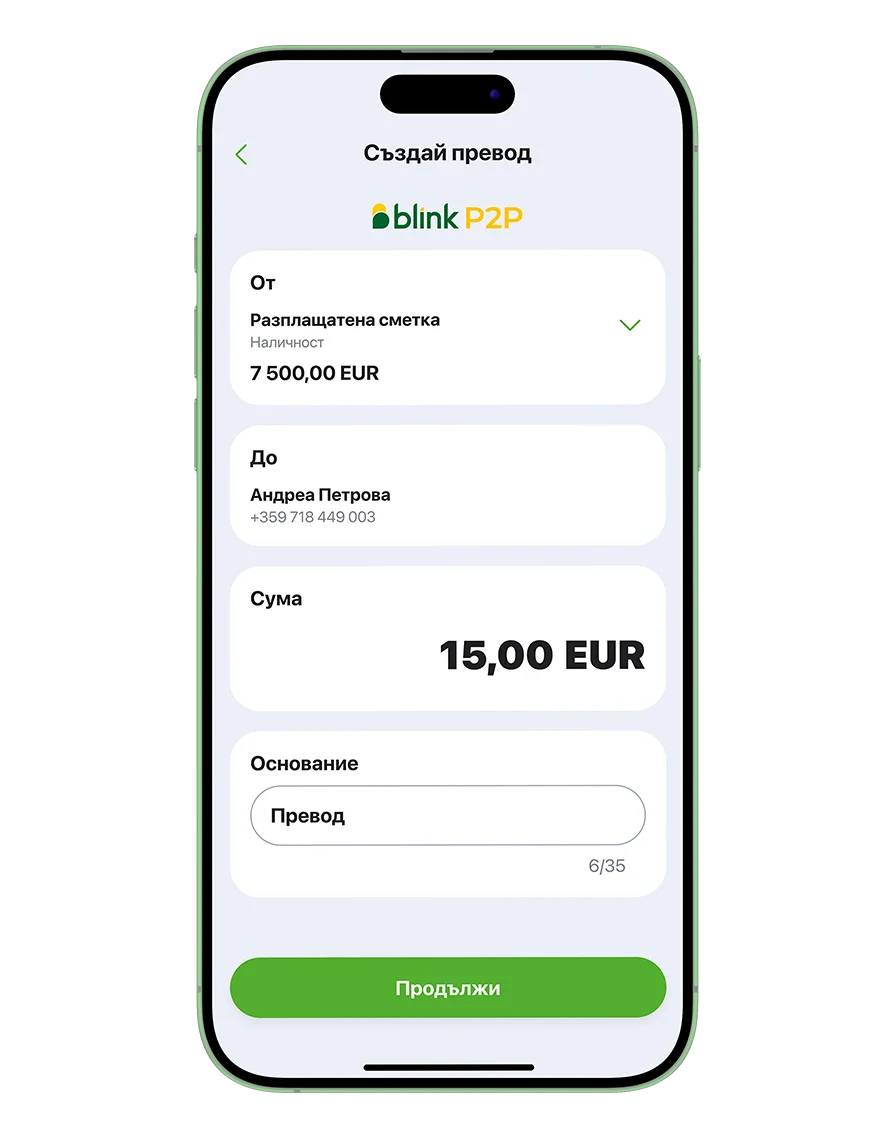
Transfers by mobile number
•Instant, free and available 24/7 •No IBAN needed - just a mobile number •Send money to contacts or new numbers •Save your favorite contacts
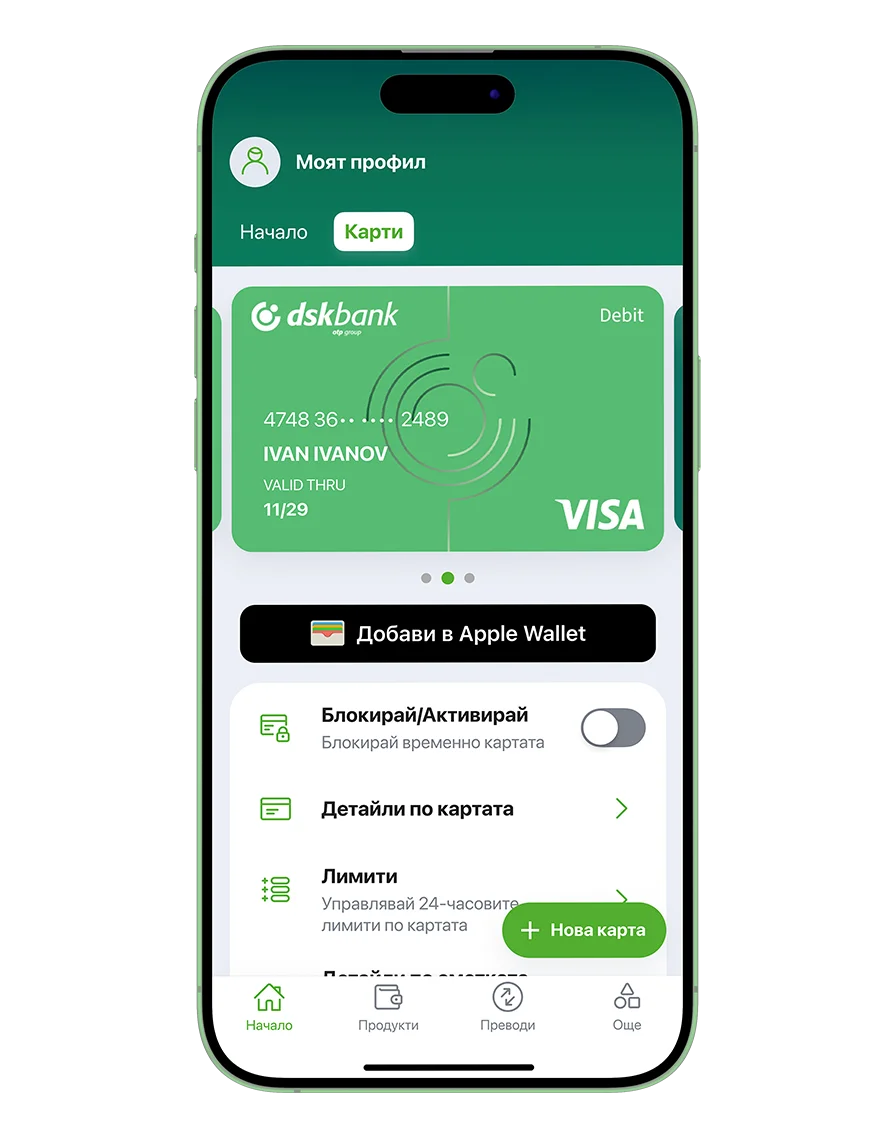
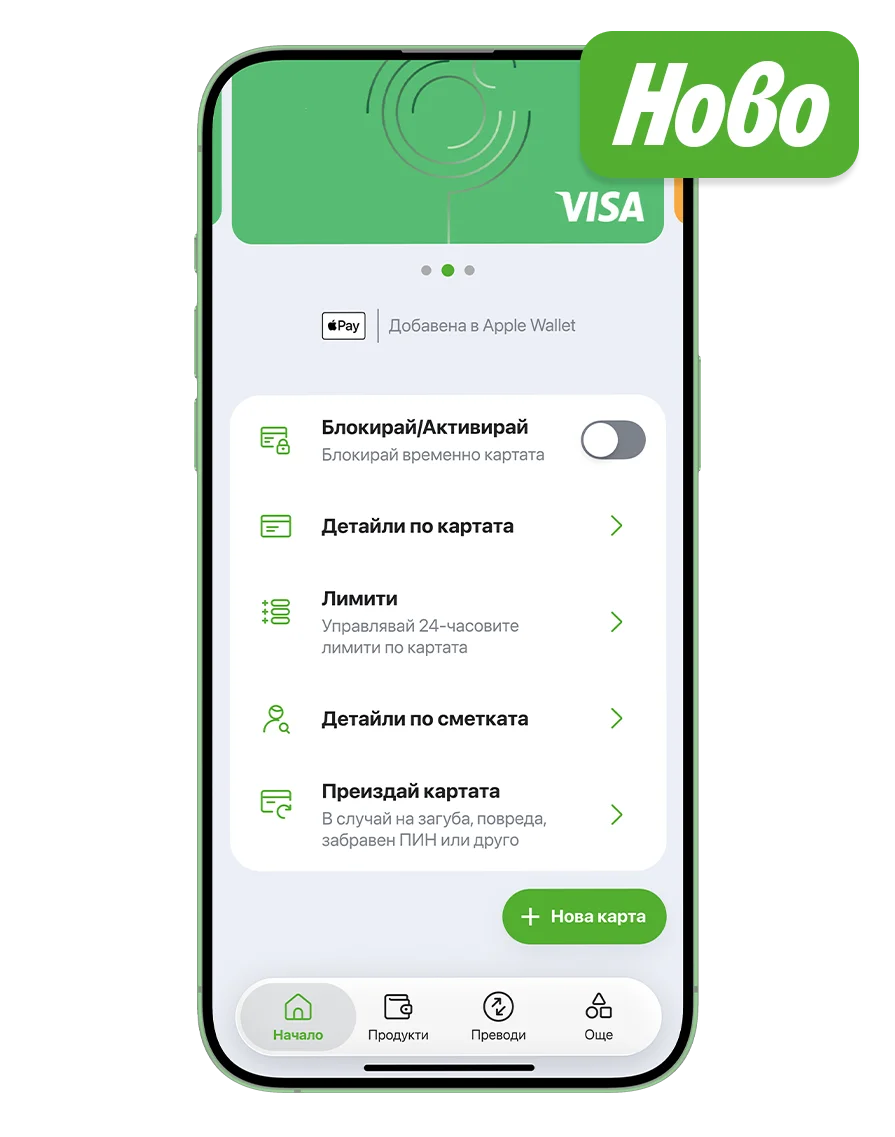
Manage your cards with ease
•Get a new card •Approve online payments •Add your card to Apple Pay or Google Pay •Block or activate your card •Manage your card limits •Replace your card •Card delivery adress
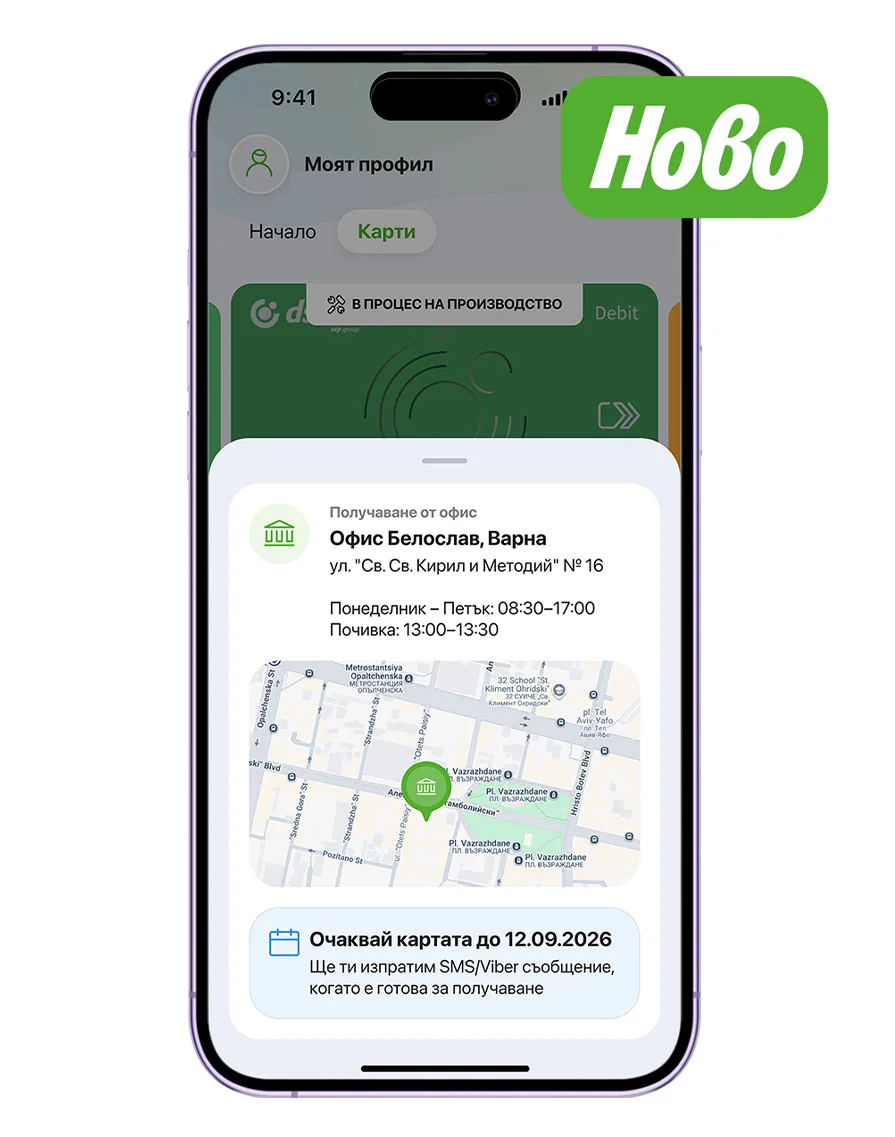
Card delivery address
•Track the delivery location of your new card •See the expected delivery date •Check the branch opening hours
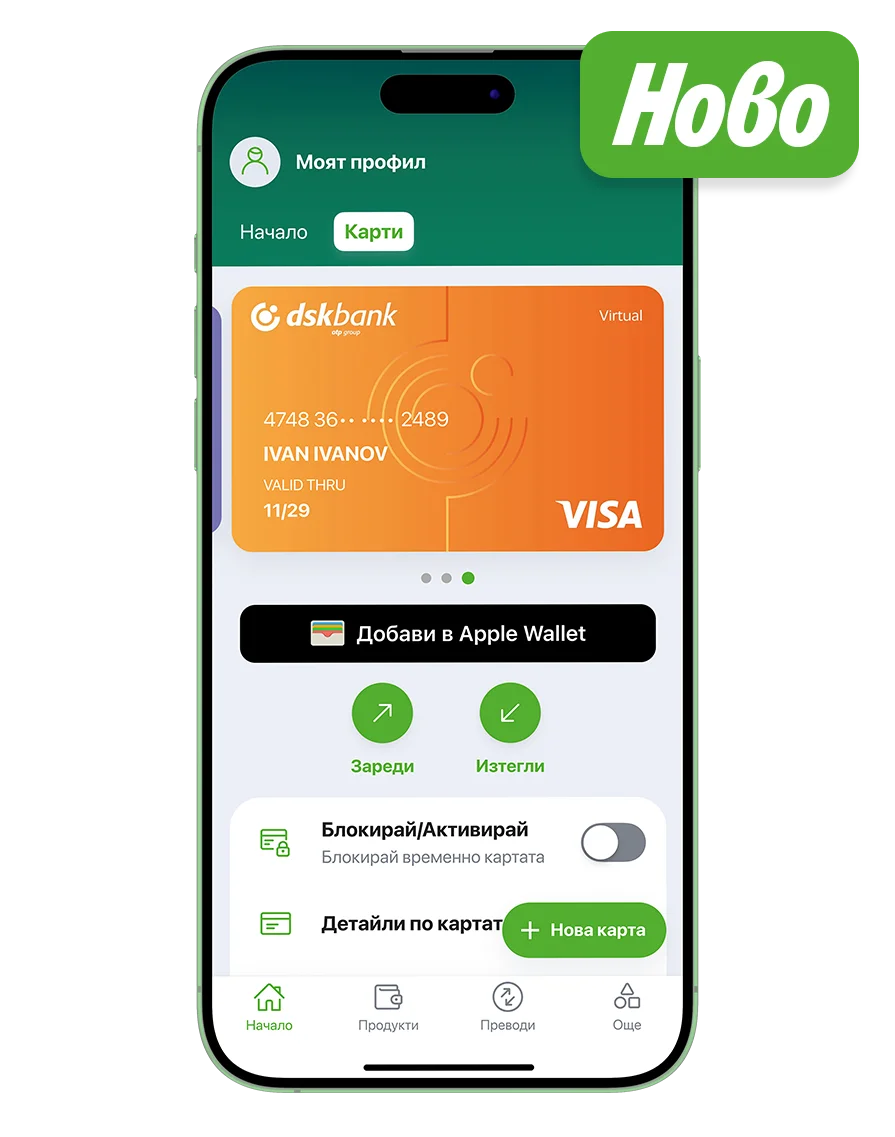
Virtual Card
•Get one for free •Top it up easily from your account •Shop securely online
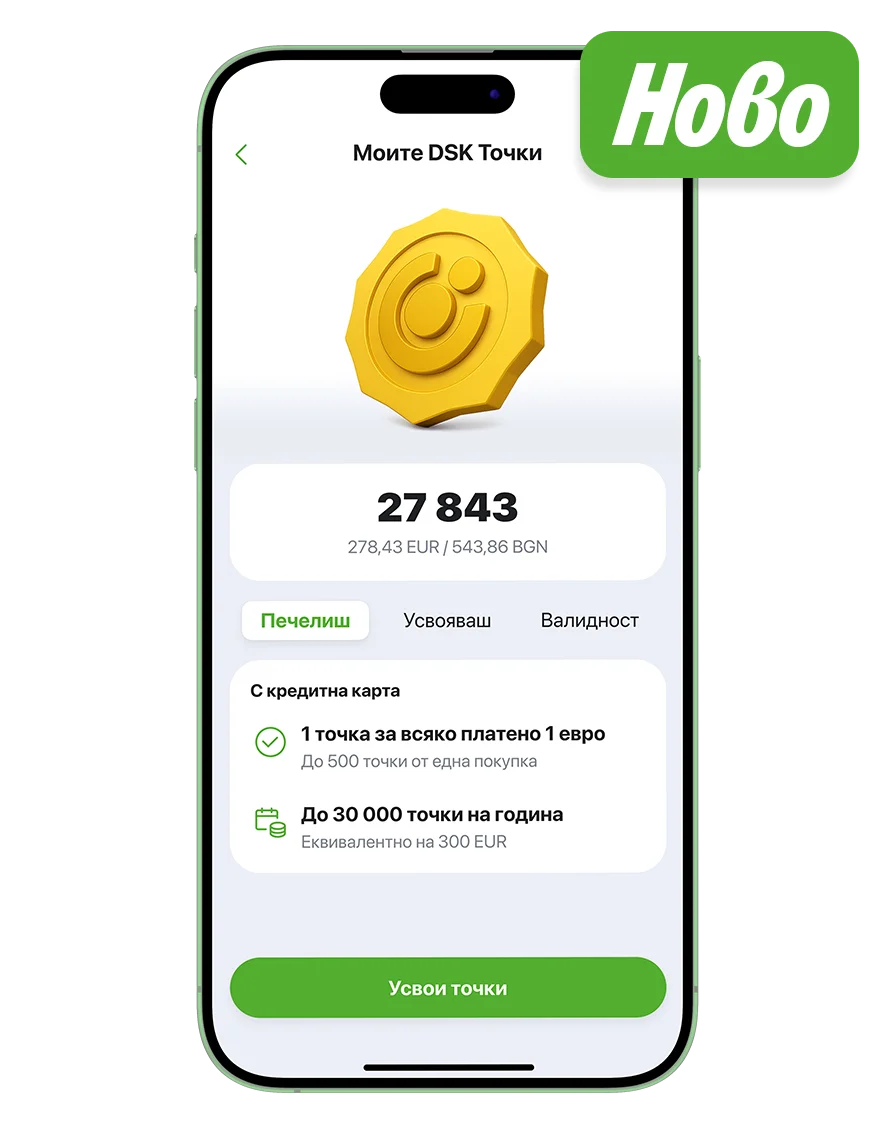
My DSK Points
•Earn points with your credit card •Get 1 point for every 1 EUR spent •Redeem your points as cashback anytime •Every 100 points give you 1 EUR cashback
Card reissuance
•Request reissuance directly in the app •Get free delivery to a branch of your choice •Replace your card if it’s lost, damaged, you’ve forgotten your PIN •Available for debit, credit and virtual cards
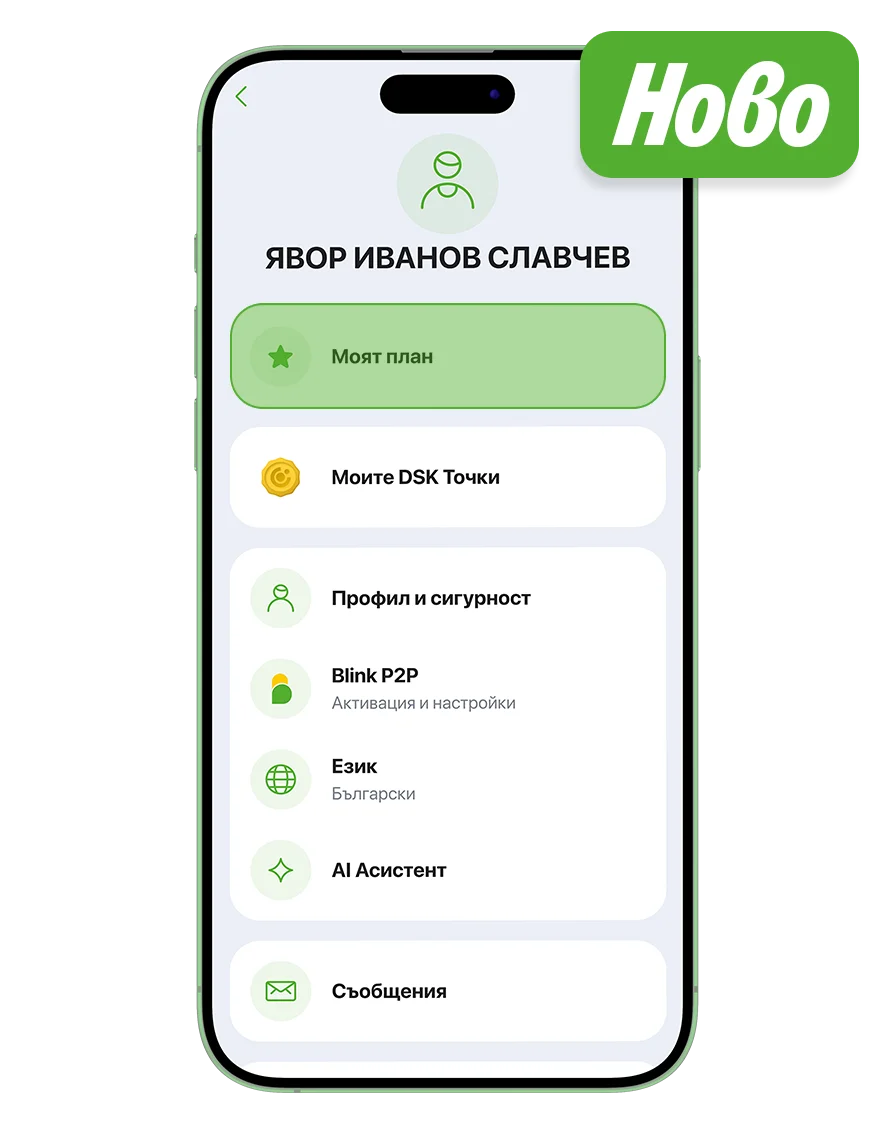
Get more from your everyday banking
•Choose a plan that fits your needs •Activate or upgrade your plan •Compare plans and benefits
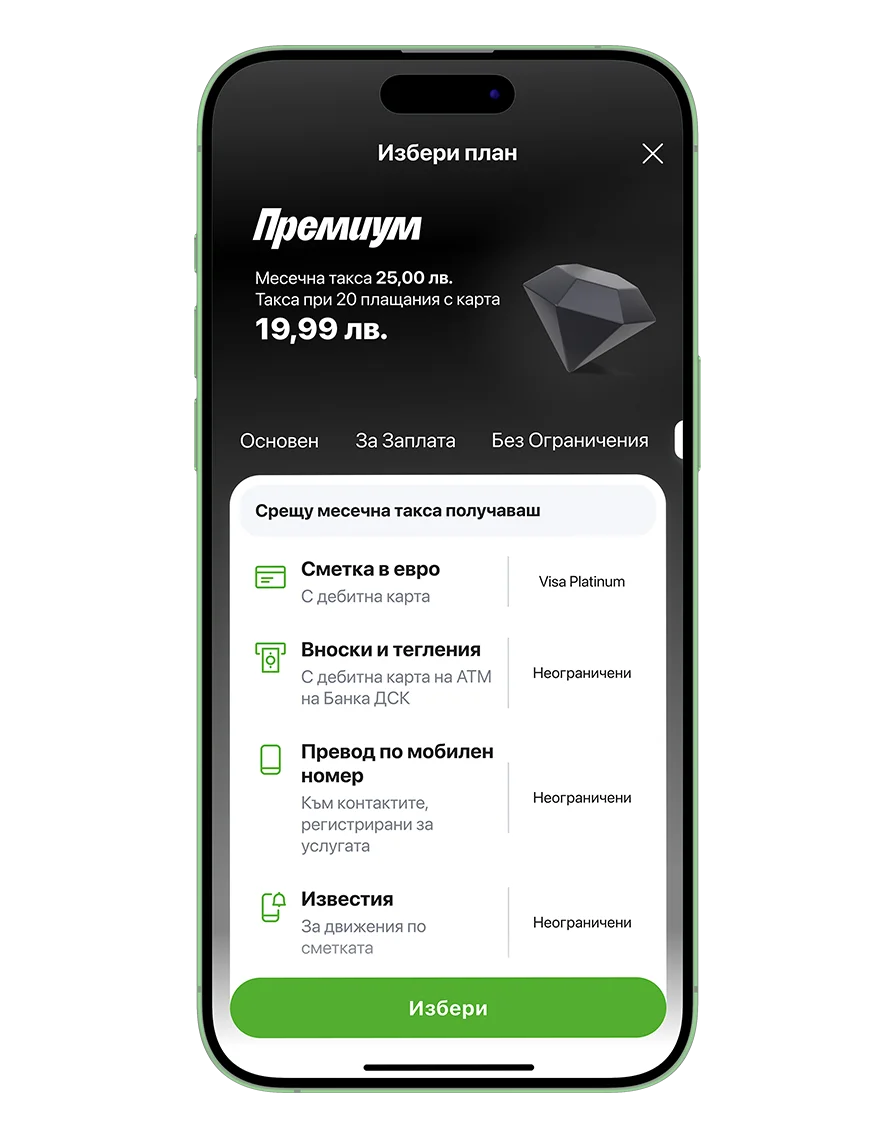
Premium plan
•Free access to airport business lounges •Discounts on hotel bookings •Platinum credit card with no annual fee •And many more benefits
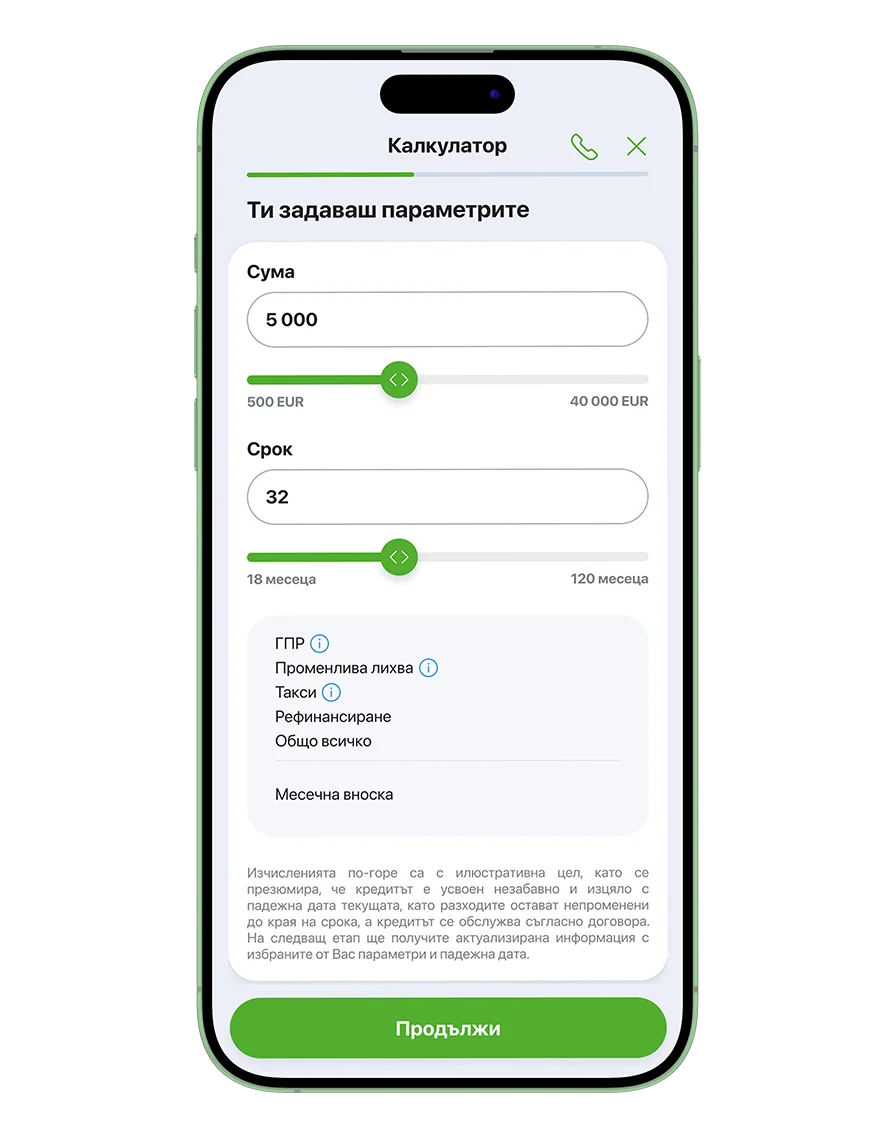
Apply and get your loan fully online
•Check your personalized offer •Choose the amount and repayment term •Sign your documents online •Get an answer in up to 5 minutes •If you don’t have an offer yet, check the home screen
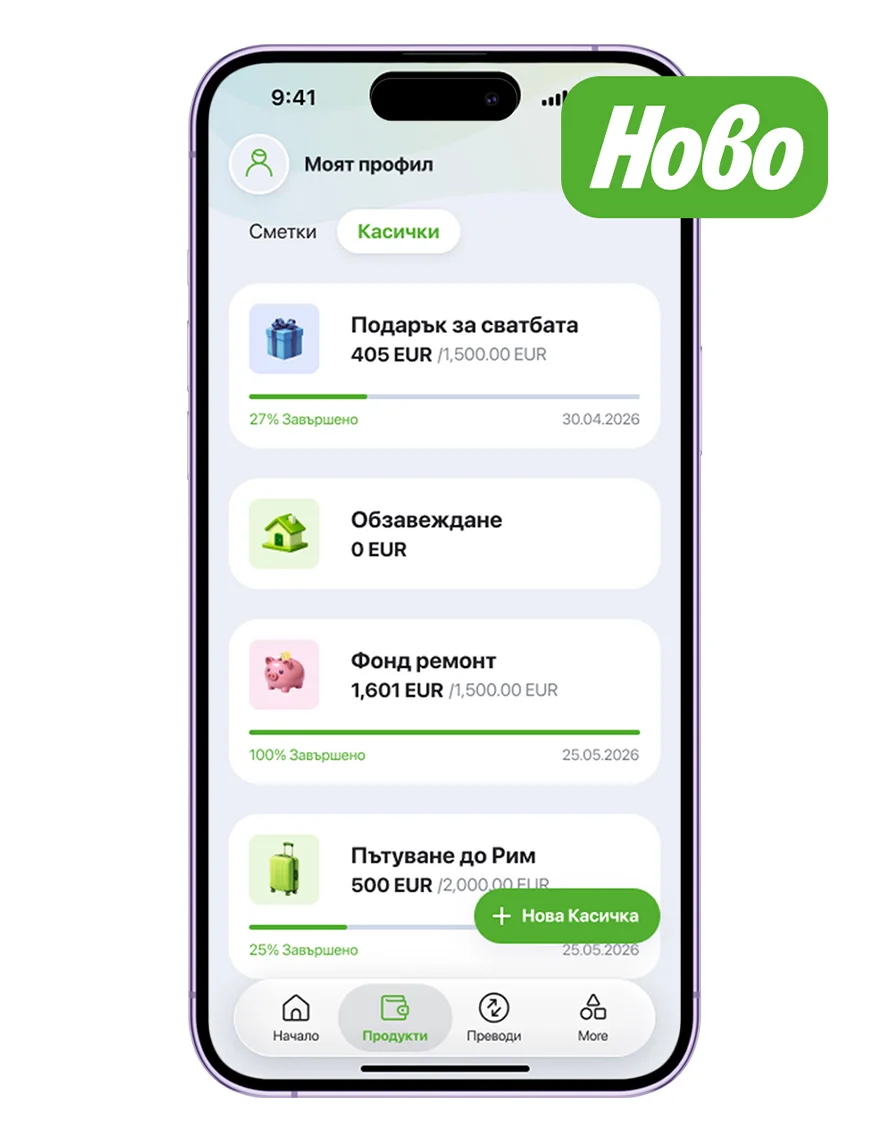
Save with Pockets
•Name your Pocket •Set your goal and target date •Start saving •Track your progress
Why are we making this change?
Along with new features, DSK Mobile comes with an improved design and a completely new platform, allowing us to introduce new services much faster. Learn more HERE.
DSK Mobile will gradually replace DSK Smart. Customers will be notified when it’s time to switch to the new mobile banking app.
How to register in DSK Mobile
Step 1
Select Activate DSK Mobile if you’re already a DSK Bank customer and want to start using the new mobile banking app. You’ll go through a shorter registration process. If you’re between 14 and 18 years old or you’re not a Bulgarian citizen, you’ll need to visit a DSK Bank branch to register.

Step 2
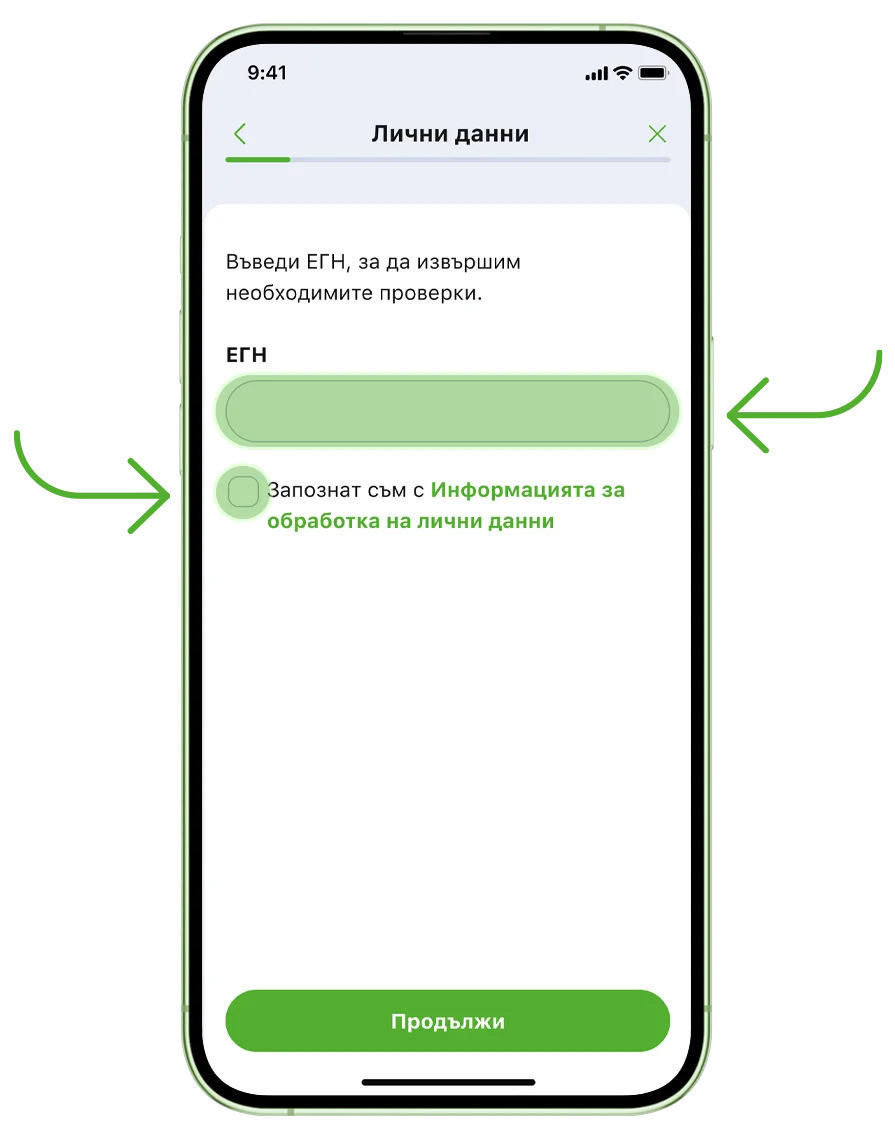
Enter your Personal Identification Number and review the Personal Data Information.
Step 3
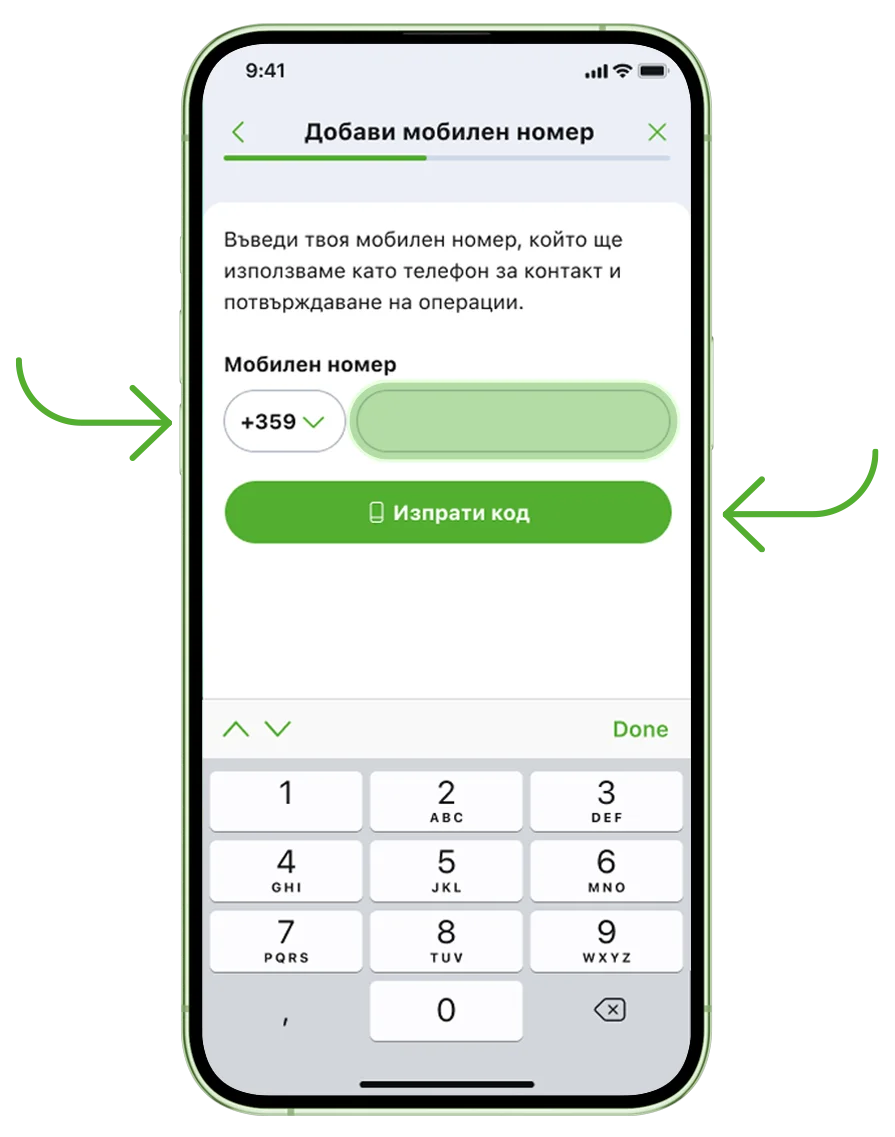
Enter your mobile number and confirm it with the code we’ll send you.
Step 4
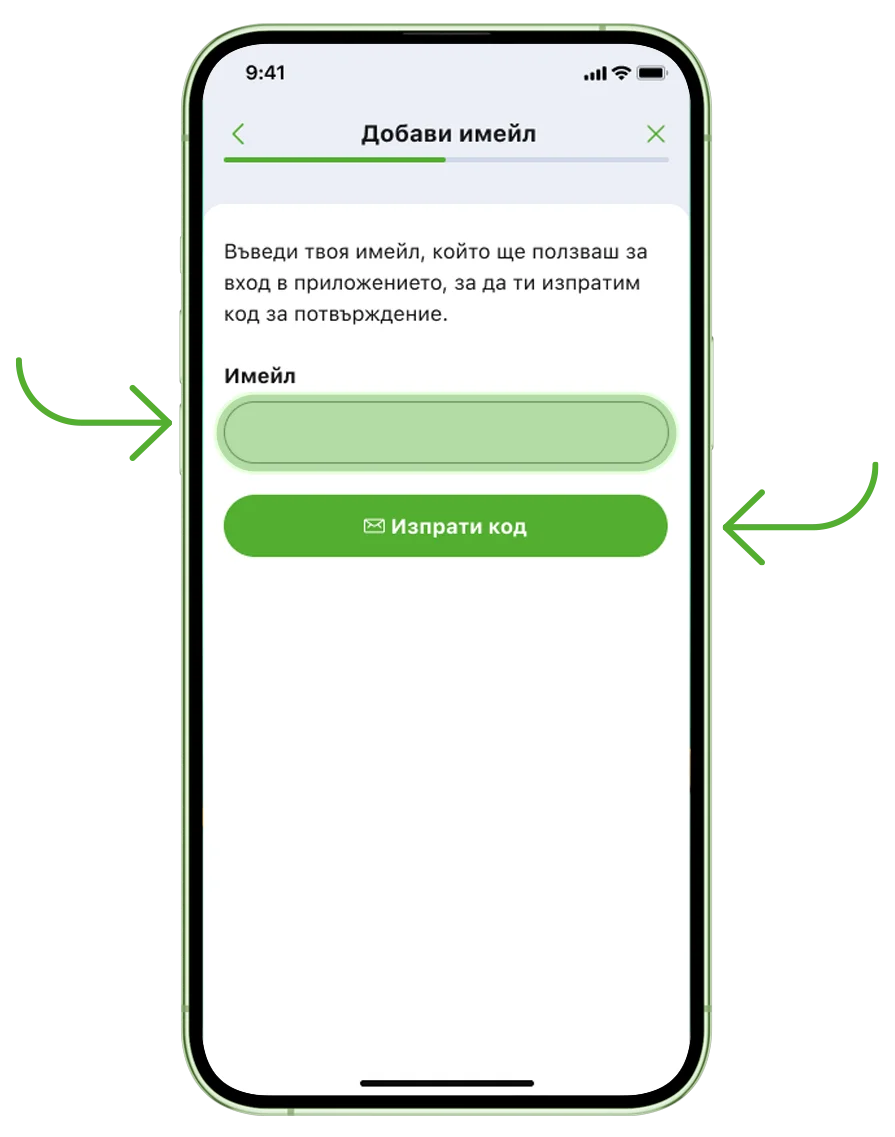
Enter your email address and confirm it with the code we’ll send you.
Step 5
Next, we’ll verify your identity to help protect you from identity theft: - A photo of your ID card - A selfie taken in the app
.webp "Verify your identity screen")
Step 6
Take a photo of both sides of your ID card. Then take a selfie by following the instructions in the app.
.webp "Take a photo of both sides of your ID card")
Step 7
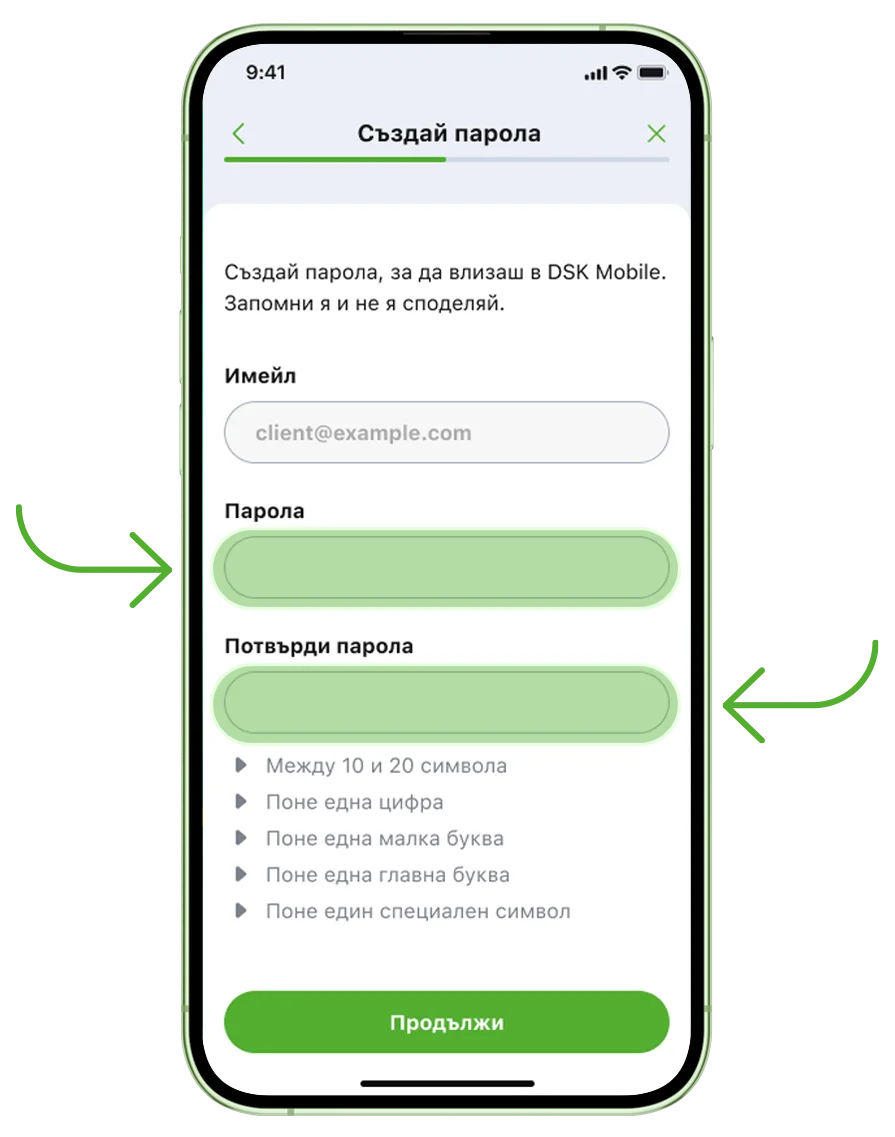
Create a secure password for DSK Mobile.
Step 8
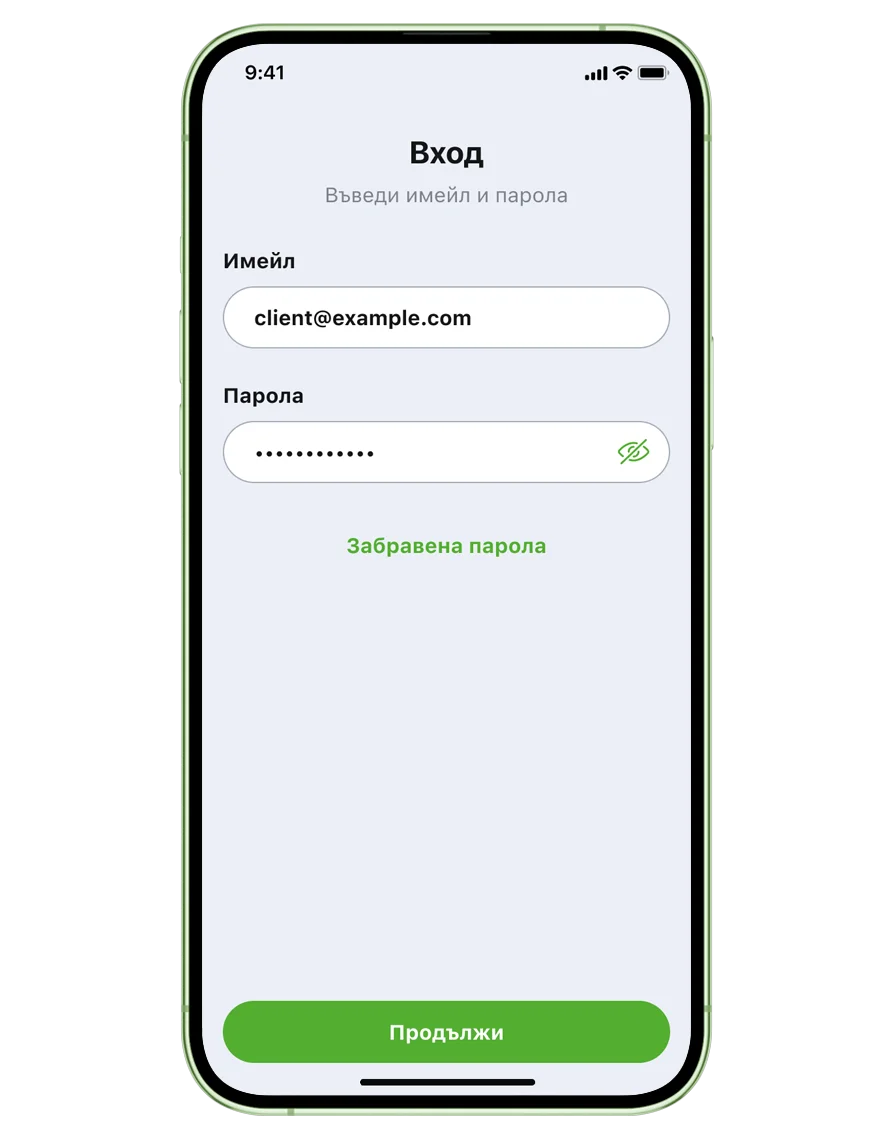
Log in using your email address and the password you've created.
Step 9
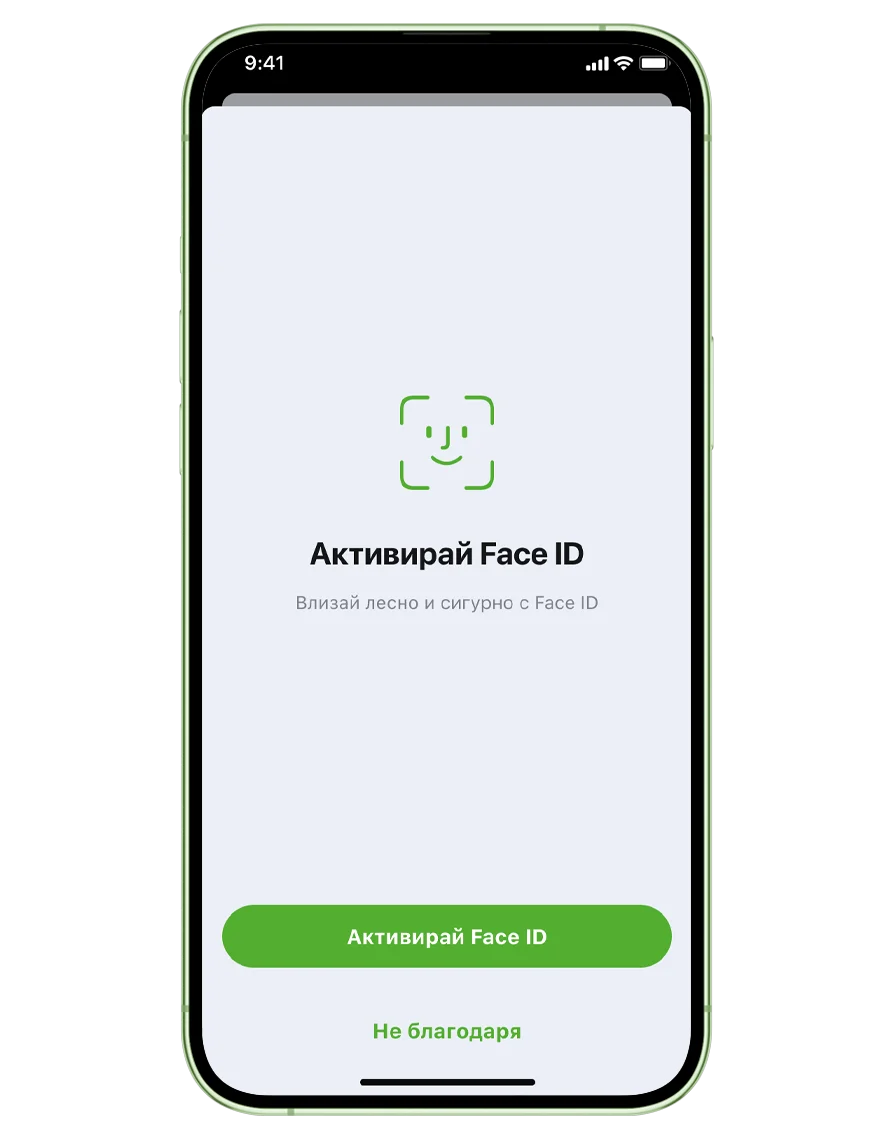
Enable biometrics if you’d like to use Face ID or fingerprint authentication to log in and approve transactions.
Step 10
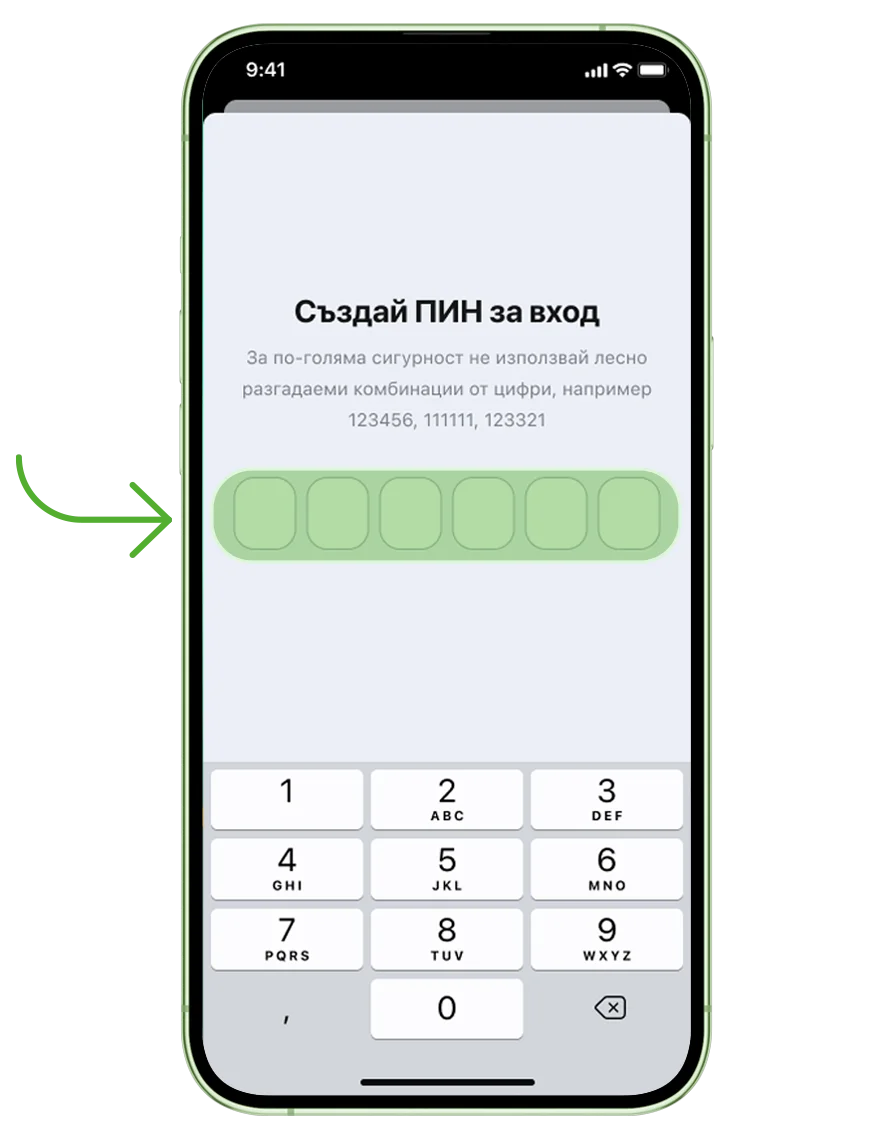
Create a 6-digit PIN.
Step 11
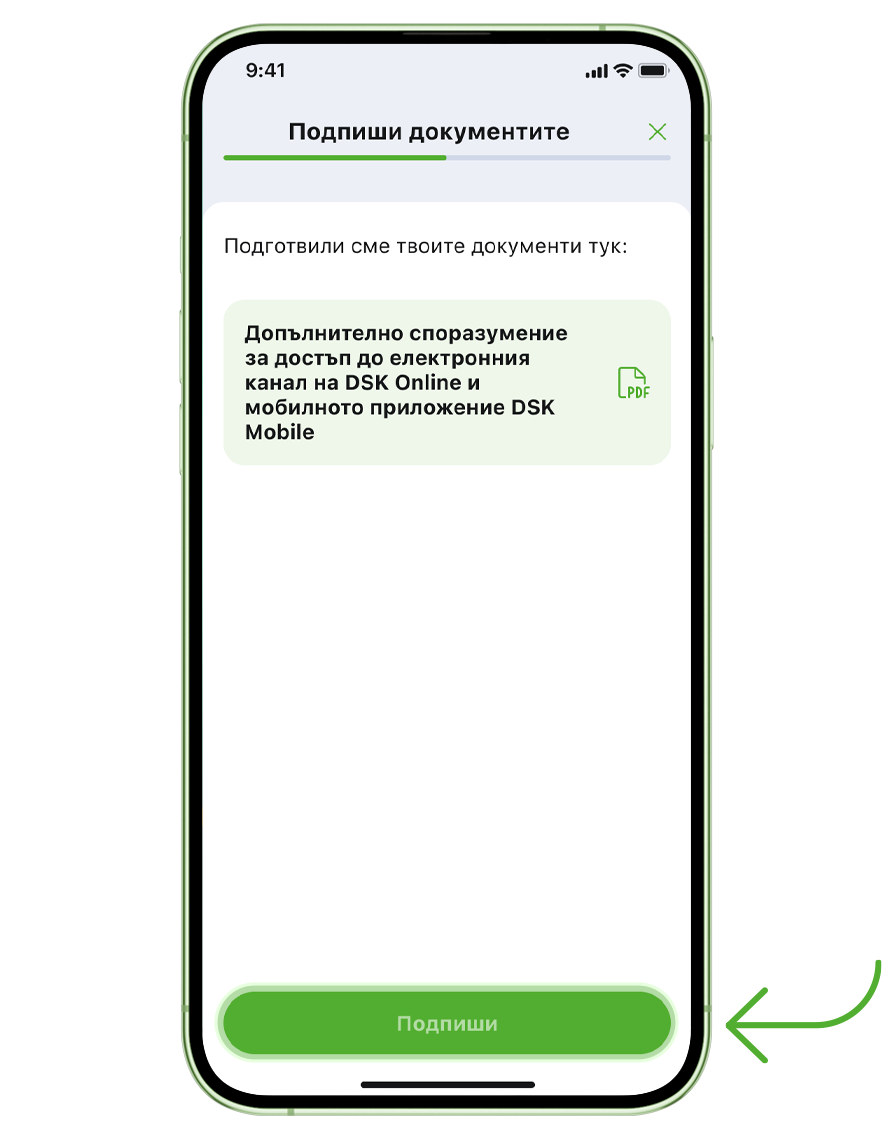
To complete your registration, sign the required documents using your PIN or biometrics.
How to become a DSK Bank client online
Step 1
Select Become a client if you’re not a DSK Bank customer yet and follow the registration steps. If you’re between 14 and 18 years old or you’re not a Bulgarian citizen, you’ll need to visit a DSK Bank branch.
Step 2
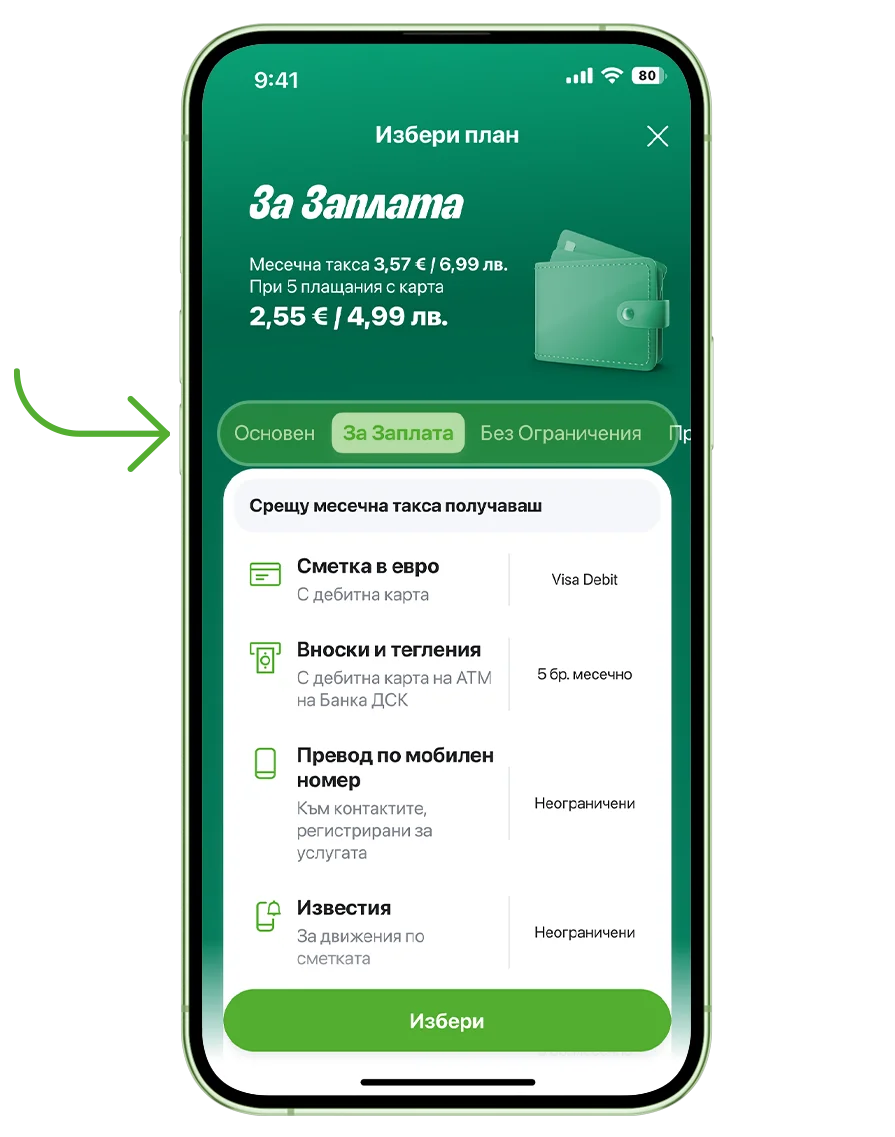
Choose your banking product. Account with a card includes: - An account with no opening fee - A debit card with no fees
Step 3
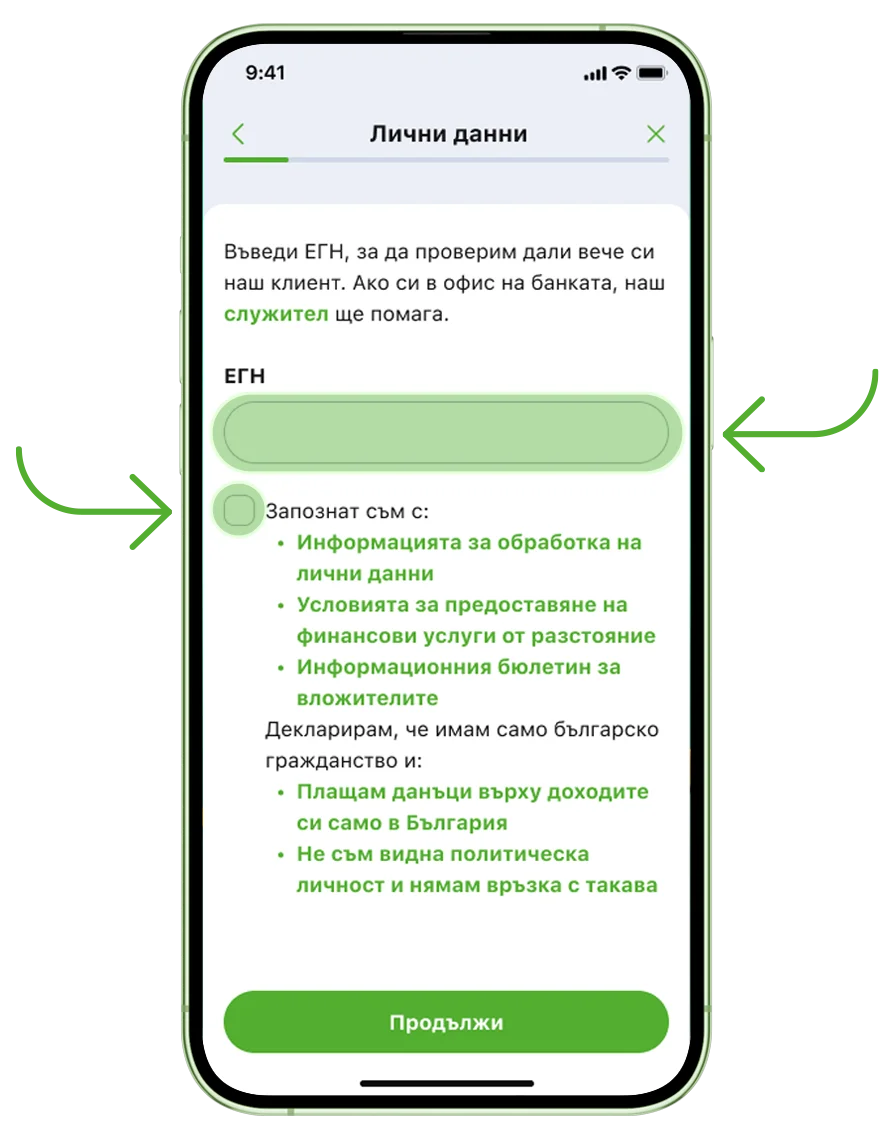
Enter your Personal Identification Number and review the Terms and Conditions.
Step 4
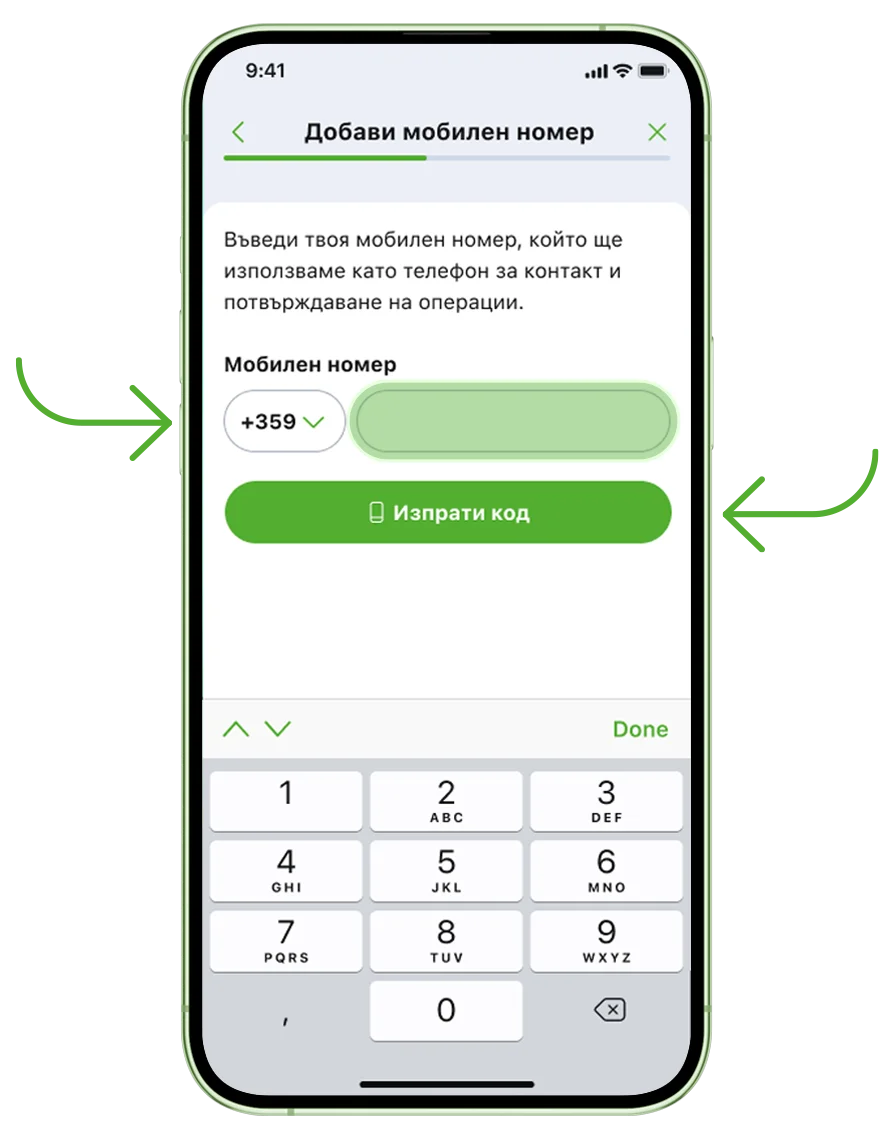
Enter your mobile number and confirm it with the code we’ll send you.
Step 5
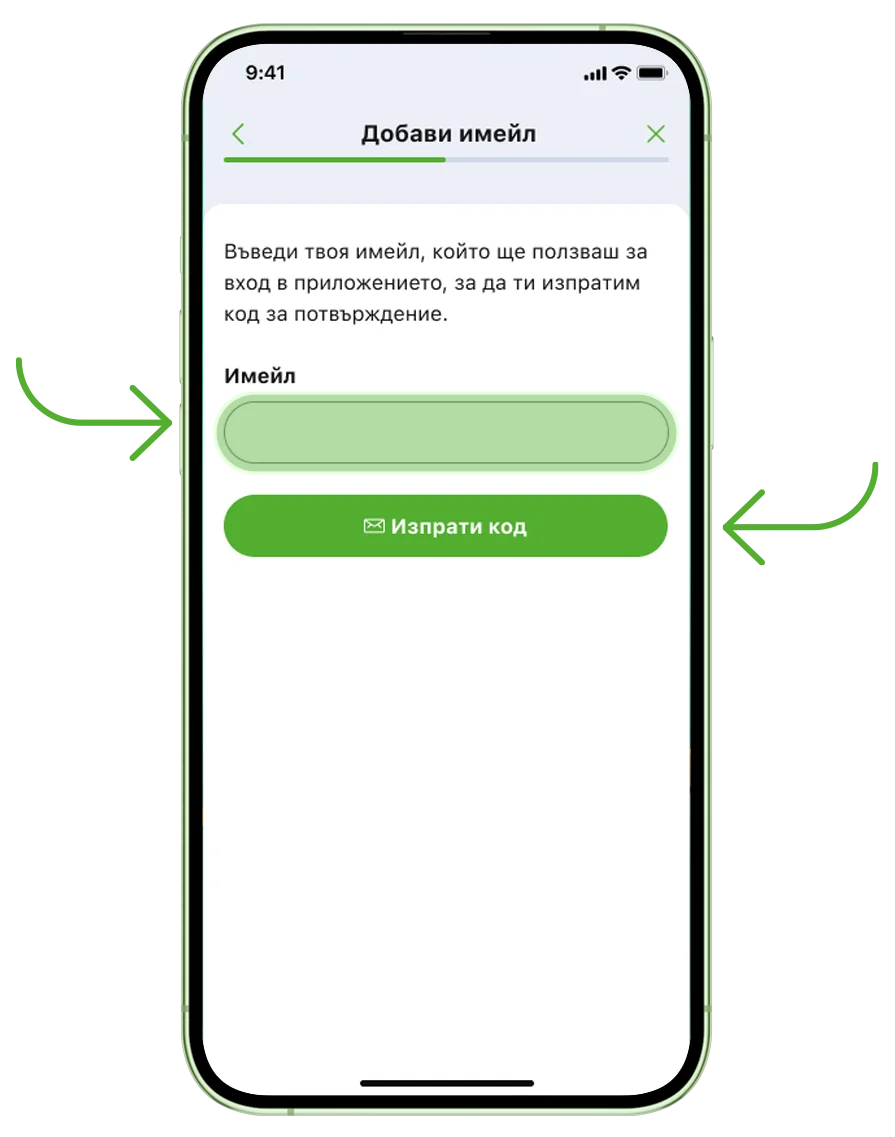
Enter your email address and confirm it with the code we’ll send you.
Step 6
Next, we’ll verify your identity to help protect you from identity theft: - A photo of your ID card - A selfie taken in the app
308bdffa-544e-4dcc-905f-700841b4e9b0.webp "Confirm it's you in the banking app")
Step 7
Take a photo of both sides of your ID card. Then take a selfie by following the instructions in the app.
.webp "Photograph your ID and take a selfie")
Step 8
Answer the three questions.
.webp "Answer the three questions in the app")
Step 9
Select a city and a branch from the list, so we know where to deliver your debit card.
.webp "Select a city and a branch from the list")
Step 10
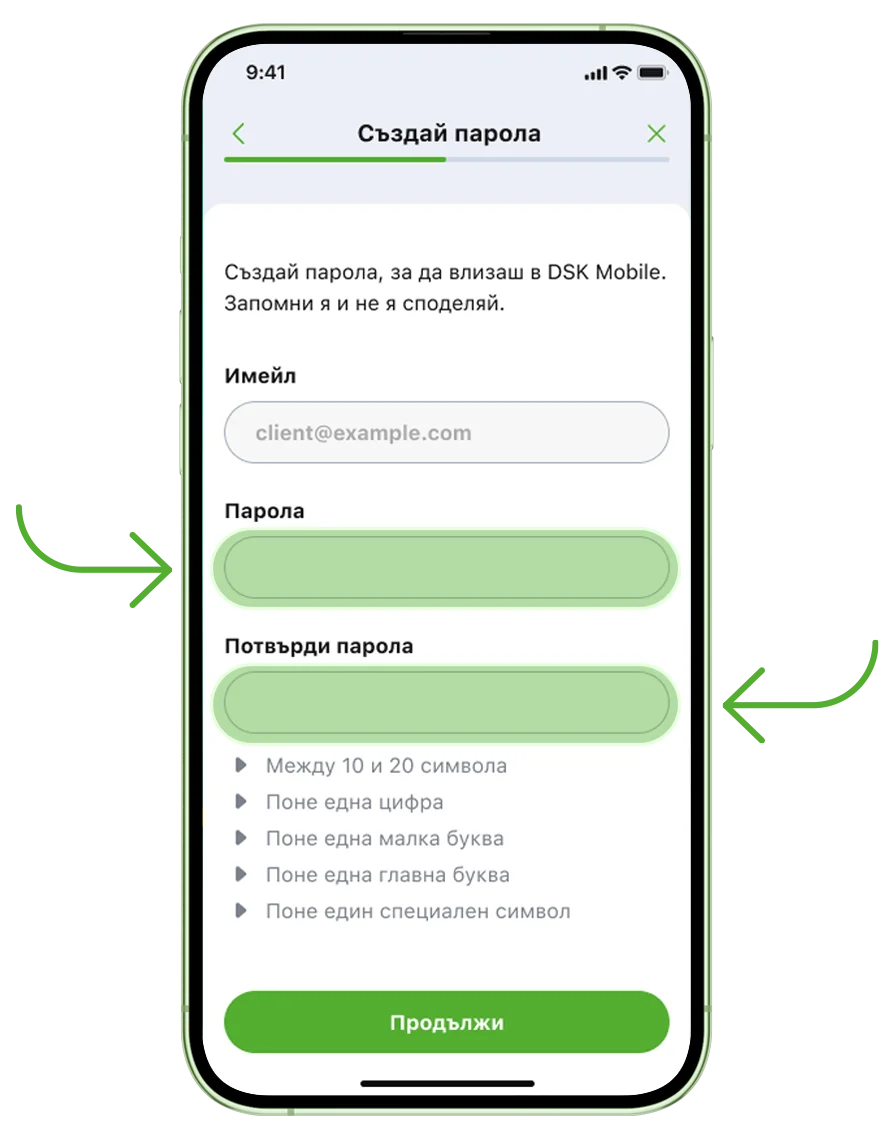
Create a secure password for DSK Mobile.
Step 11
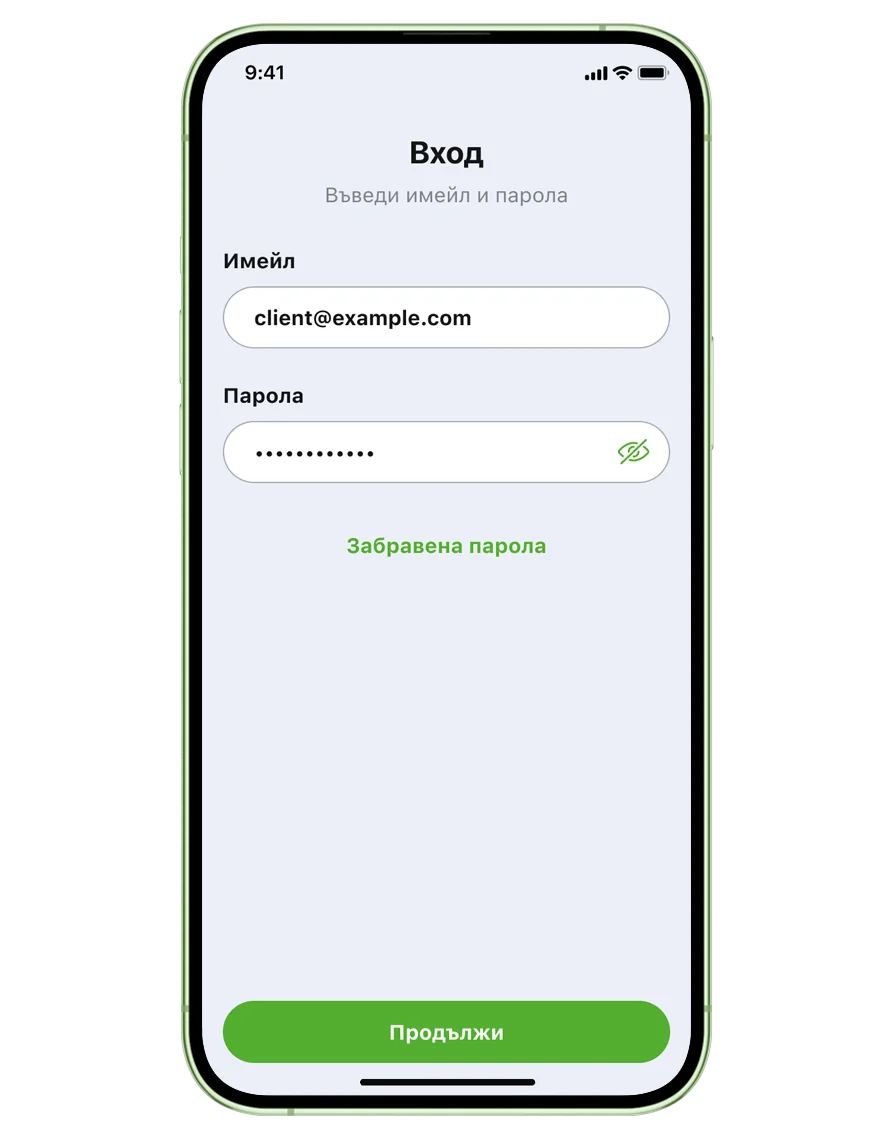
Log in using your email address and the password you created.
Step 12
Enable biometrics if you’d like to use Face ID or fingerprint authentication to log in and approve transactions.
.webp "Enable biometrics to log in and approve transactions")
Step 13
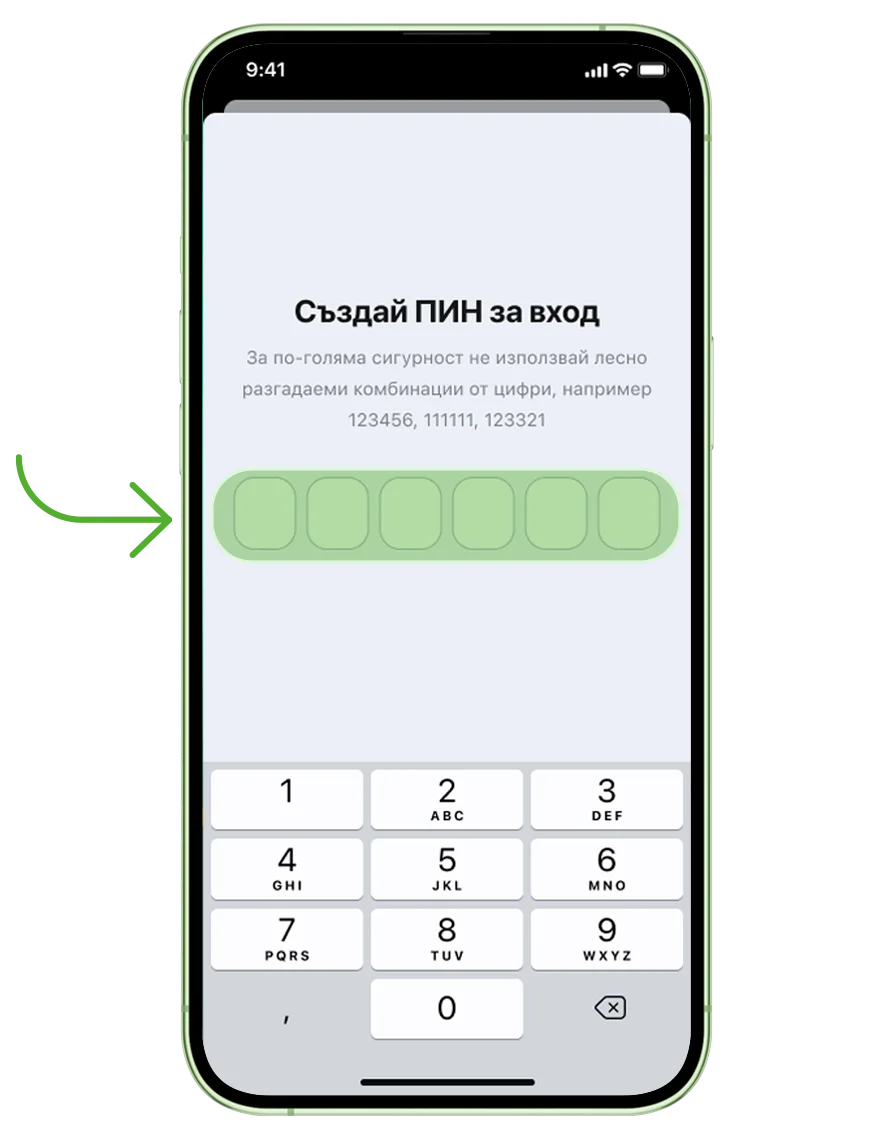
Create a 6-digit PIN.
Step 14
To become a DSK Bank customer, sign the required documents using your PIN or biometrics.
.webp "Finish the process by signing the required documents")
Have questions?
To get a virtual card or a new debit card, log in to DSK Mobile and go to Cards. Tap New Card and choose Virtual Card or Debit Card. Follow the steps and confirm your request with your PIN or biometrics.
Once you receive your new card with an electronic PIN, log in to DSK Mobile and go to Cards. Select your new card and tap Activate, then enter the 8-digit code from the letter that came with your card. Confirm with your PIN or biometrics.
Transfers
- Save or repeat a transfer by tapping and holding the transaction
- Save favorite contacts for quick transfers by mobile number
- Send money by mobile number even if the recipient is not in your phone contacts
- Schedule a transfer for a future date
- Use filters to find transactions more easily
- Generate reports by period, amount or transfer type
- Download a PDF with account or transaction details
Cards
- Copy your card details for easier online shopping
- Manage the funds on your virtual card in seconds
- Repay your credit card balance and keep track of the remaining amount due and your next payment
Loans
- Check the amount you are eligible for at any time
- View all the details of your loans
We’re always here to help. You can contact us through the chat on our website and ask to speak to an advisor, or visit your nearest DSK Bank branch for assistance.
We need to verify your identity to give you secure access to your financial products. It’s the same reason you need to show your ID when visiting a bank branch. This helps us make sure that only you can manage your accounts and use our banking services.
DSK Mobile can only be linked to one device at a time to prevent simultaneous access from multiple phones. When you activate it on a new phone, access from your previous device is automatically deactivated. To access your banking from a computer, you can use DSK Online.
Access to your contacts makes it easier to send instant blink P2P transfers by mobile number, free of charge to DSK Bank and other participating banks.
You don’t need the recipient’s IBAN – only their mobile number. You can select someone from your phone contacts or use New number to send money to a number that isn’t saved in your contacts.
The recipient must also have the service enabled. You can easily identify eligible contacts in the app by the mobile transfer icon next to their name. If the recipient has enabled the service but uses incognito mode, the icon will not appear, but they can still receive transfers.
If you have forgotten your DSK Mobile PIN and can’t access your account, uninstall the app and download DSK Mobile again. Open it and select Log in > Forgotten Password on the home screen.
If you want to change your PIN or password, open My Profile in the top-left corner of DSK Mobile and select Profile and security. You’ll find the options to change them there. You’ll first need to enter your current PIN or password.
DSK Mobile is available on smartphones running Android 10 or later and iOS 15 or later.
The app cannot be used with older operating system versions, but you can continue using DSK Direct online banking.
Currently, DSK Mobile cannot be downloaded on devices that don’t support Google Play or the App Store. In this case, you can continue using DSK Direct online banking.
Your access to DSK Direct will remain available until its functionalities are transferred to DSK Mobile.
The new DSK Online banking platform is available after you register for DSK Mobile, as both services use the same login details.
Yes. Your access to DSK Direct will remain available due to the specific services it provides. These services will gradually be added to DSK Mobile.
You can also use DSK Online, our new online banking platform designed for desktop devices. To log in, you need to be registered for DSK Mobile and use the same email address and password.
If you have already selected and applied for a loan amount in DSK Smart, one of our colleagues will contact you on the phone number you provided to complete your application.
If you haven’t selected a loan amount yet, you can apply directly through DSK Mobile and complete the entire process online without assistance from a bank employee.
Remember to stay alert for phishing scams. Never share your DSK Smart or DSK Direct login details on other platforms or through links received by email, Viber or SMS. We will never ask you to provide this information by email or message.
Yes. If you’re under 18, you can use DSK Mobile. To activate the app, you need to visit a DSK Bank branch together with a parent or legal guardian. One of our employees will verify your identity, and your parent or legal guardian will provide the required consent.
Currently, DSK Mobile activation for customers under 18 is available only at a DSK Bank branch.
Yes. DSK Mobile is available to customers who are citizens of countries other than Bulgaria. To activate the app, visit a DSK Bank branch, where one of our employees will verify your identity and help you complete the activation.
Currently, DSK Mobile activation for foreign customers is available only at a DSK Bank branch.