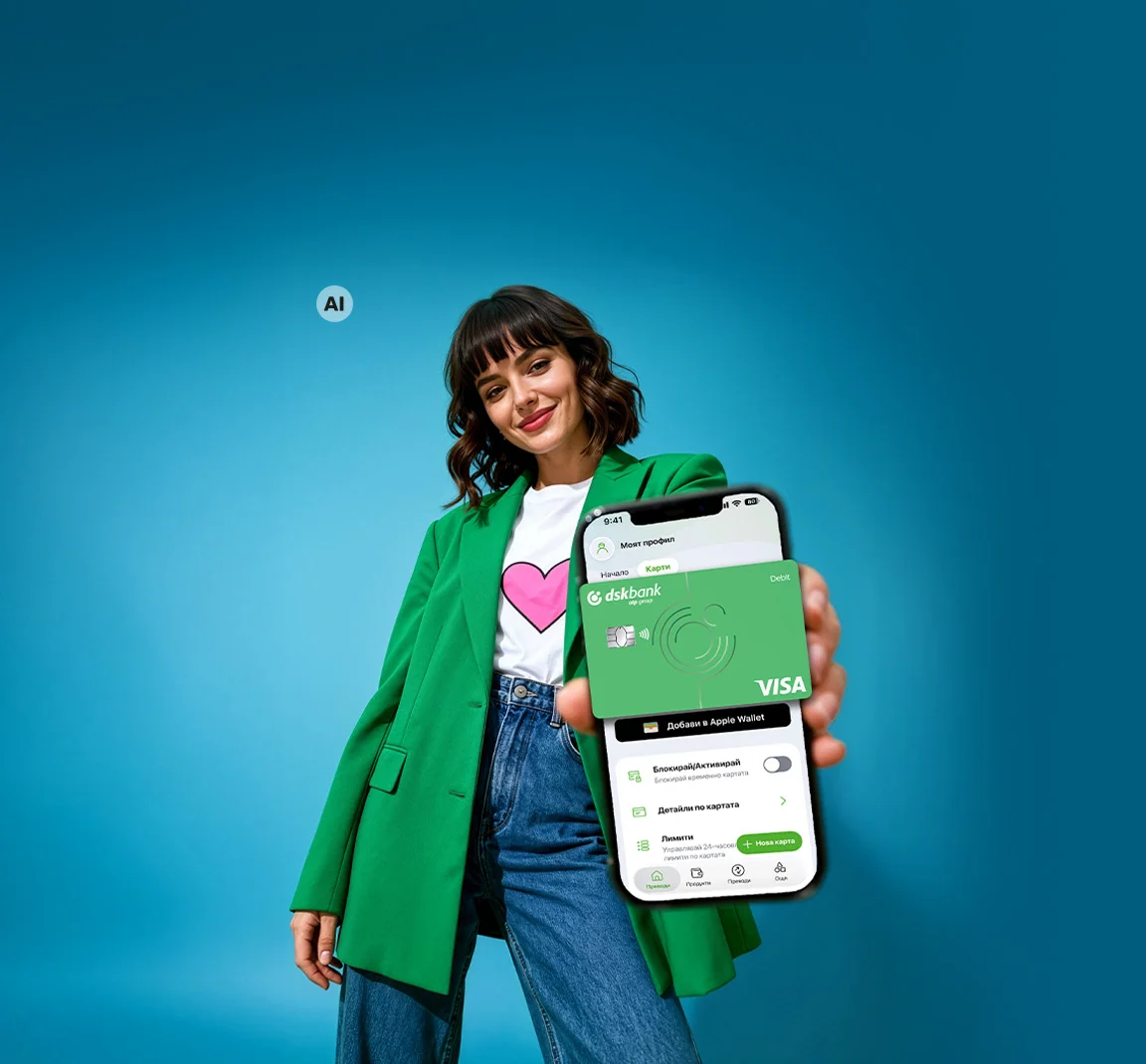
Everything you need in one place

You don't need a wallet when your cards are available in DSK Mobile.


.png "Reissue card")


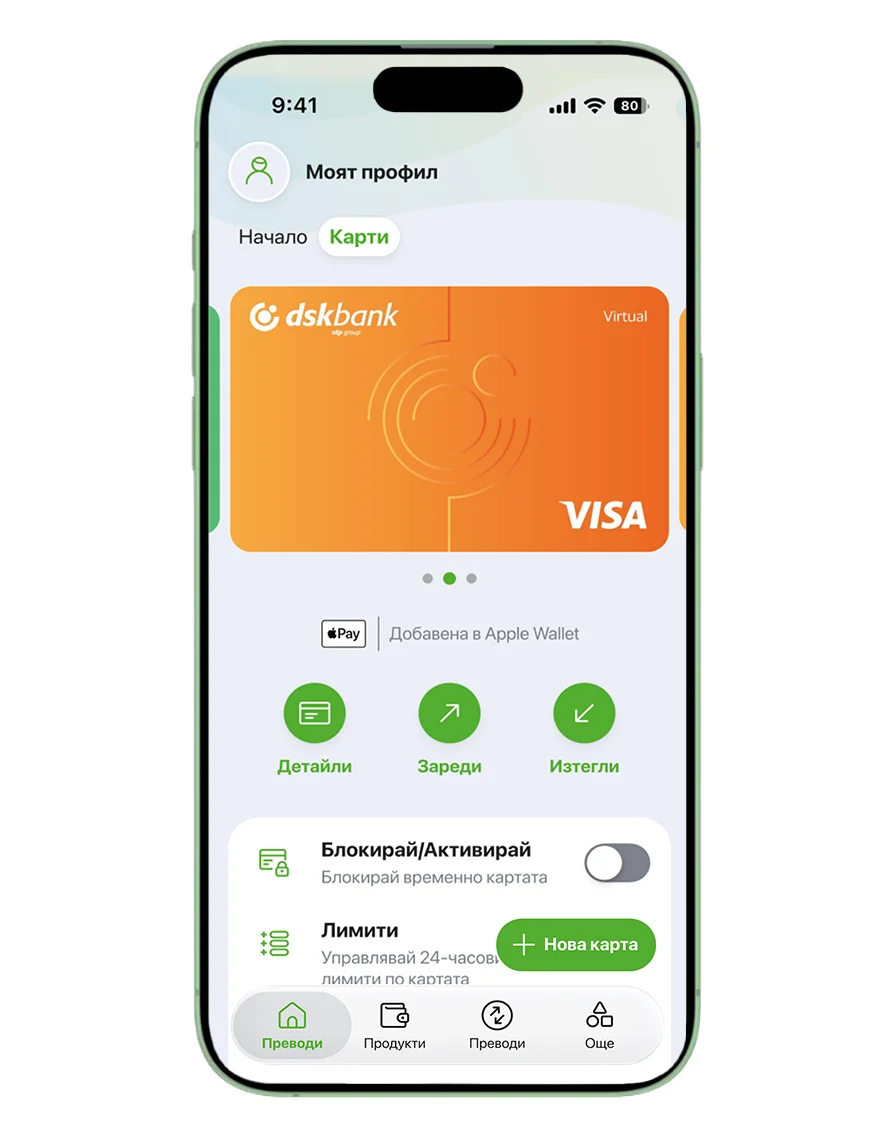
Virtual Card
Shop securely with your virtual card that is not linked to your primary account. The card is available only in digital form and is intended for online and POS payments.
- Apply free of charge and use it with no fees
- Open Cards > New Card > Virtual Card
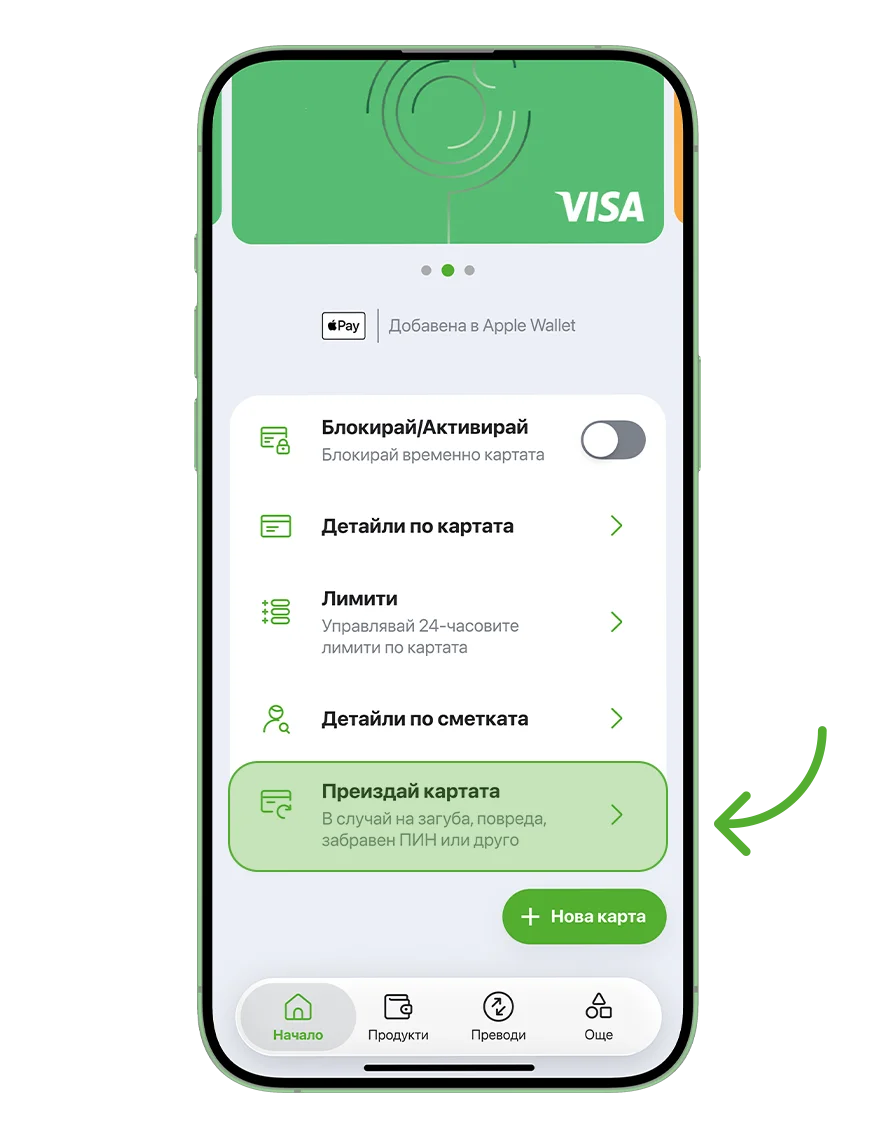
Reissue card
There is no need to visit a branch if your debit, credit, or virtual card has been lost or damaged, or if you have forgotten your PIN.
With just a few simple steps, you can request reissuing card for yourself or another cardholder on your account through DSK Mobile and choose a branch for collection.
- Free delivery to the branch of your choice
- Open Cards > Reissue card
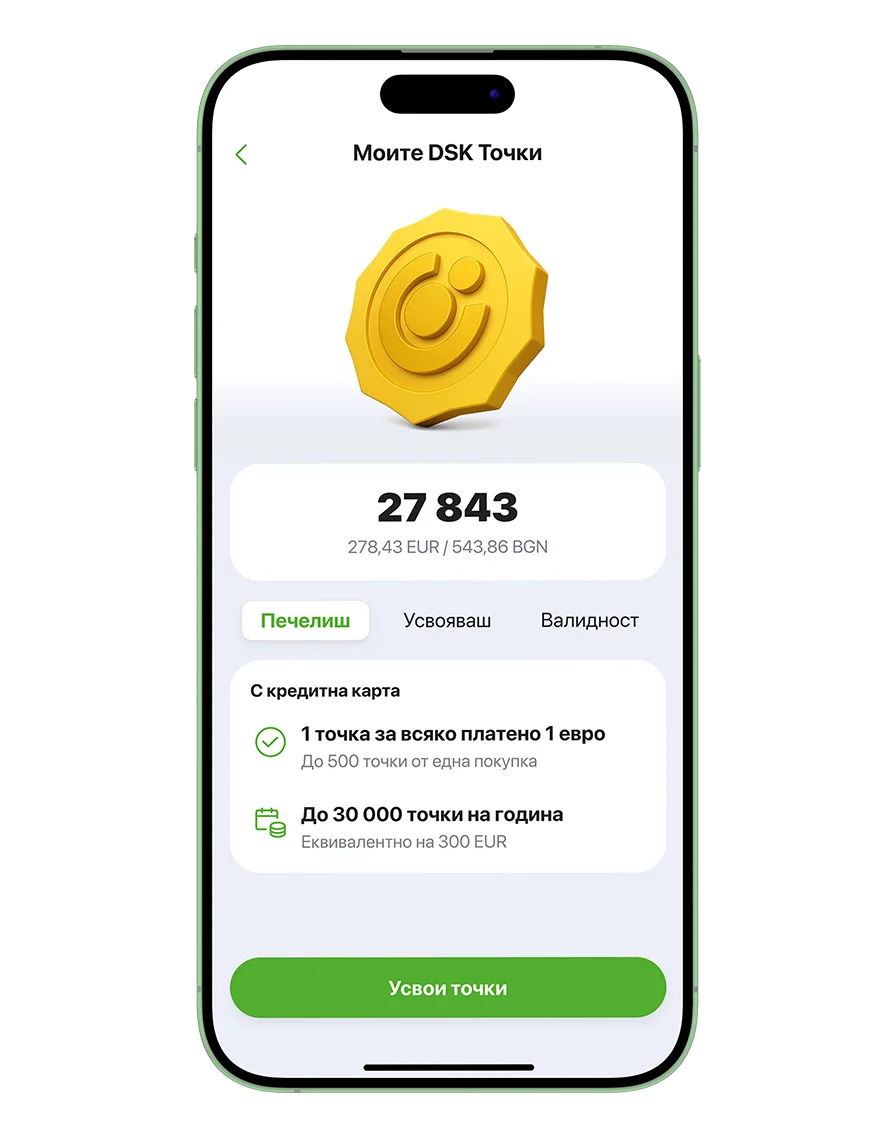
DSK Points
Earn DSK Points every time you pay with your credit card or platinum credit card and redeem them for cashback. Open My Profile > My DSK Points.
- Earn 1 point for every 1 EUR spent
- Every 100 points can be redeemed for 1 EUR cashback
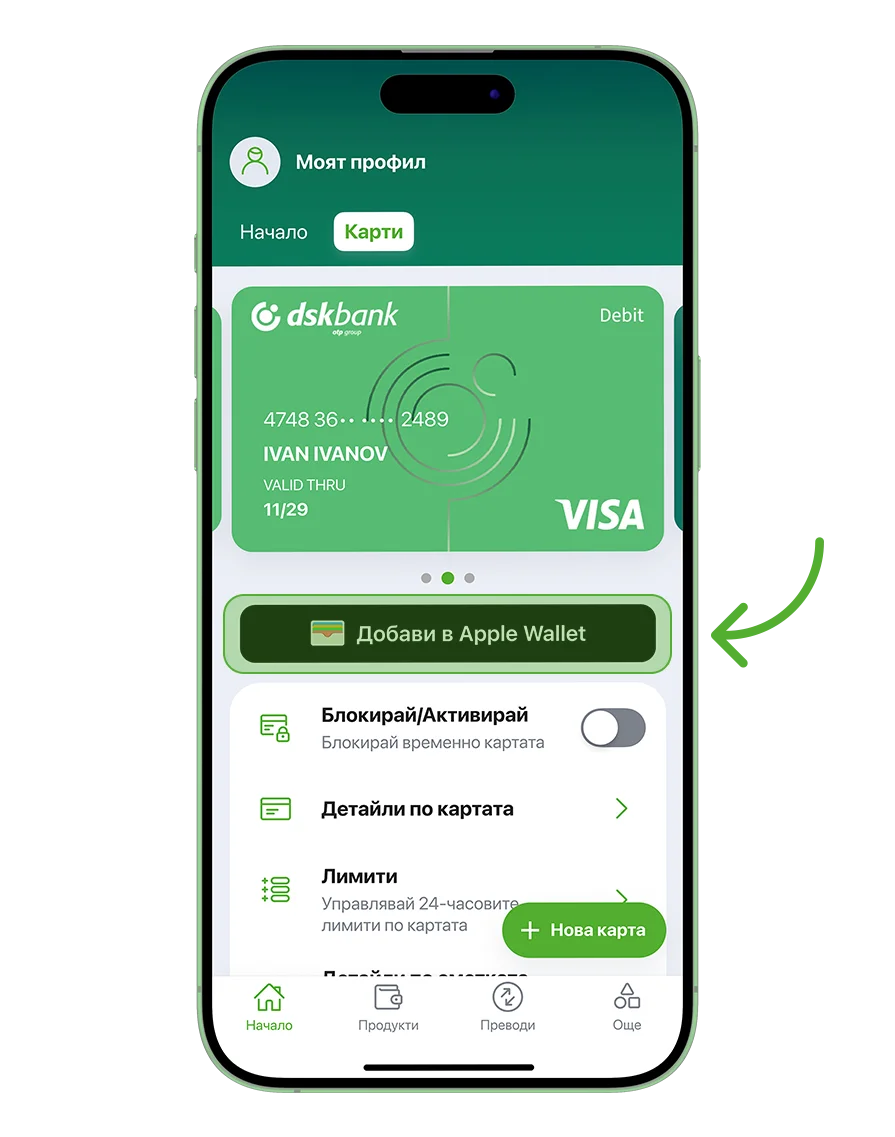
Add to Google Wallet / Apple Wallet
Add your cards to a digital wallet to pay with your phone at POS terminals and make online payments even faster.
- Open Cards and select Add to Google Wallet / Apple Wallet
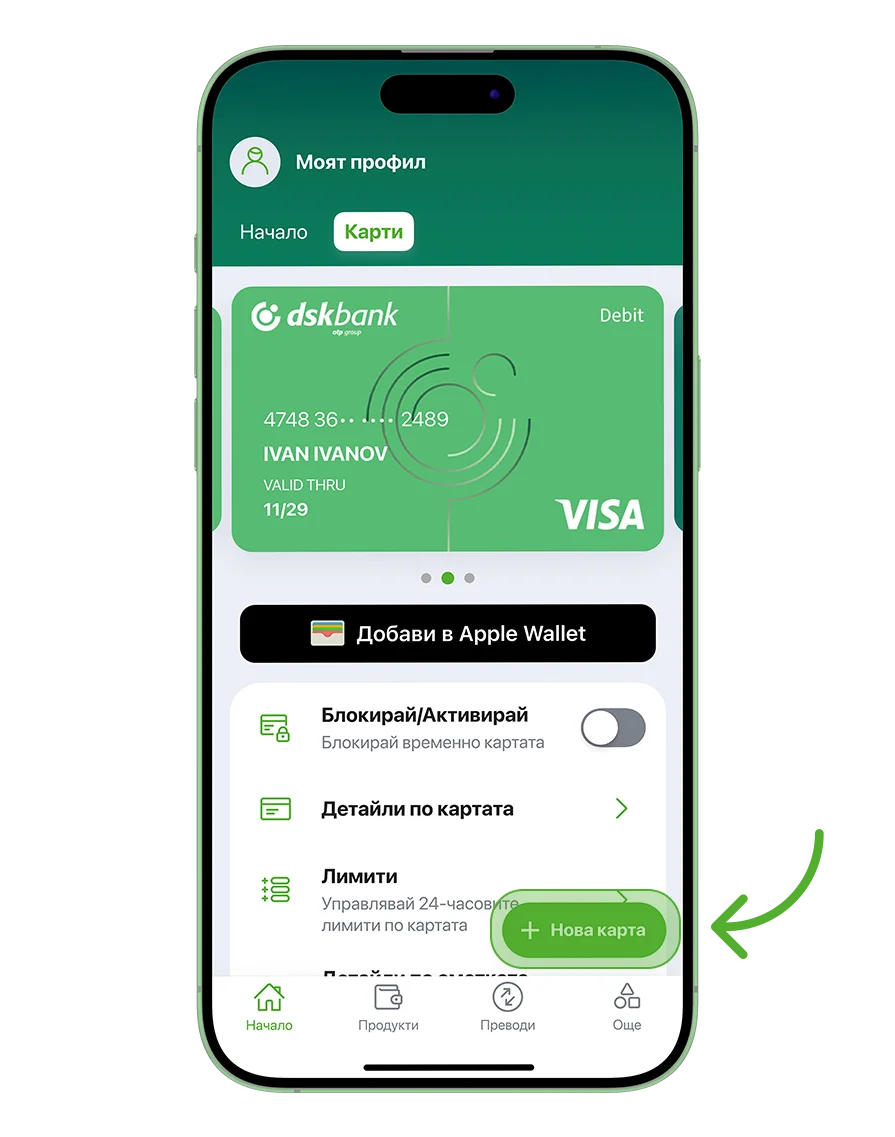
Get a new card
Apply for a new debit card free of charge and receive it at a branch of your choice.
- Open Cards > New Card > Debit Card
- Select the city and branch for delivery
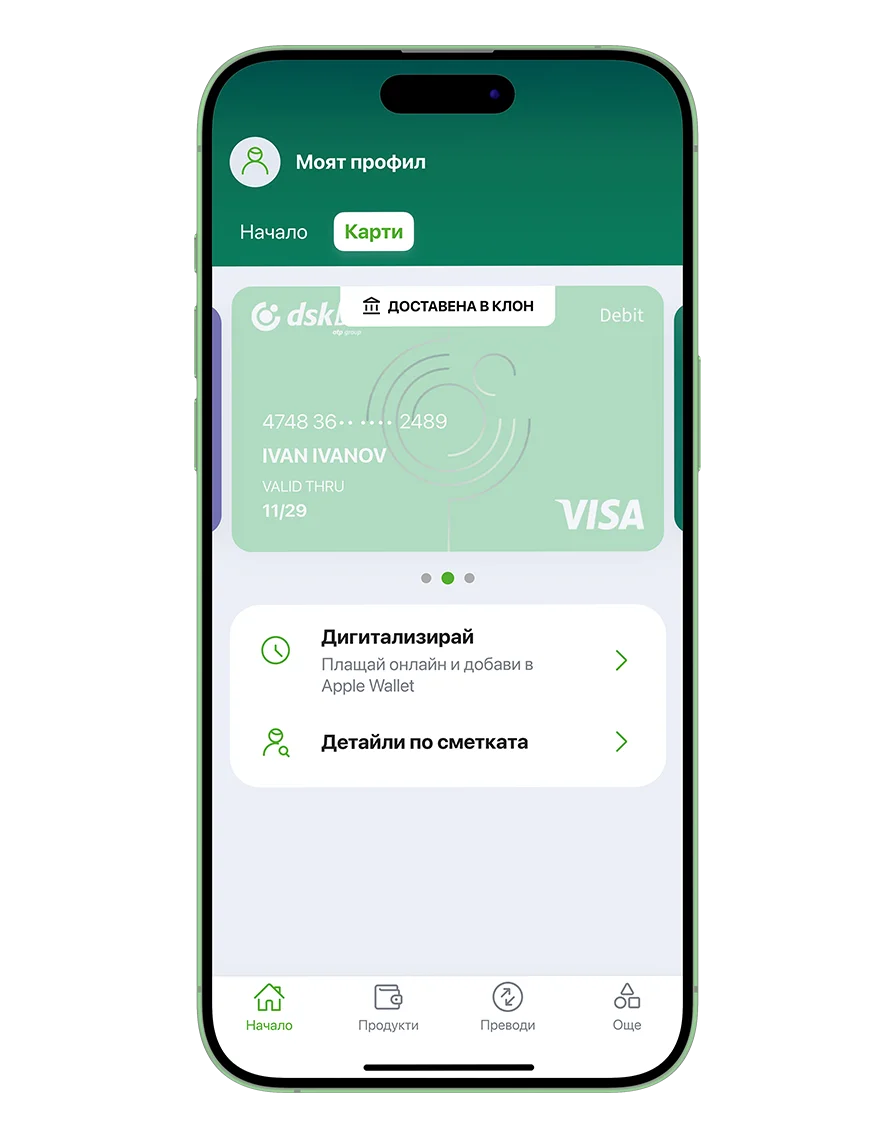
Digitize your card
Digitize your new card if you want to start using it before the physical card is delivered.
- Open the Cards menu and select Digitize
- Then select to Google Wallet / Apple Wallet
- Pay easily using your digital wallet
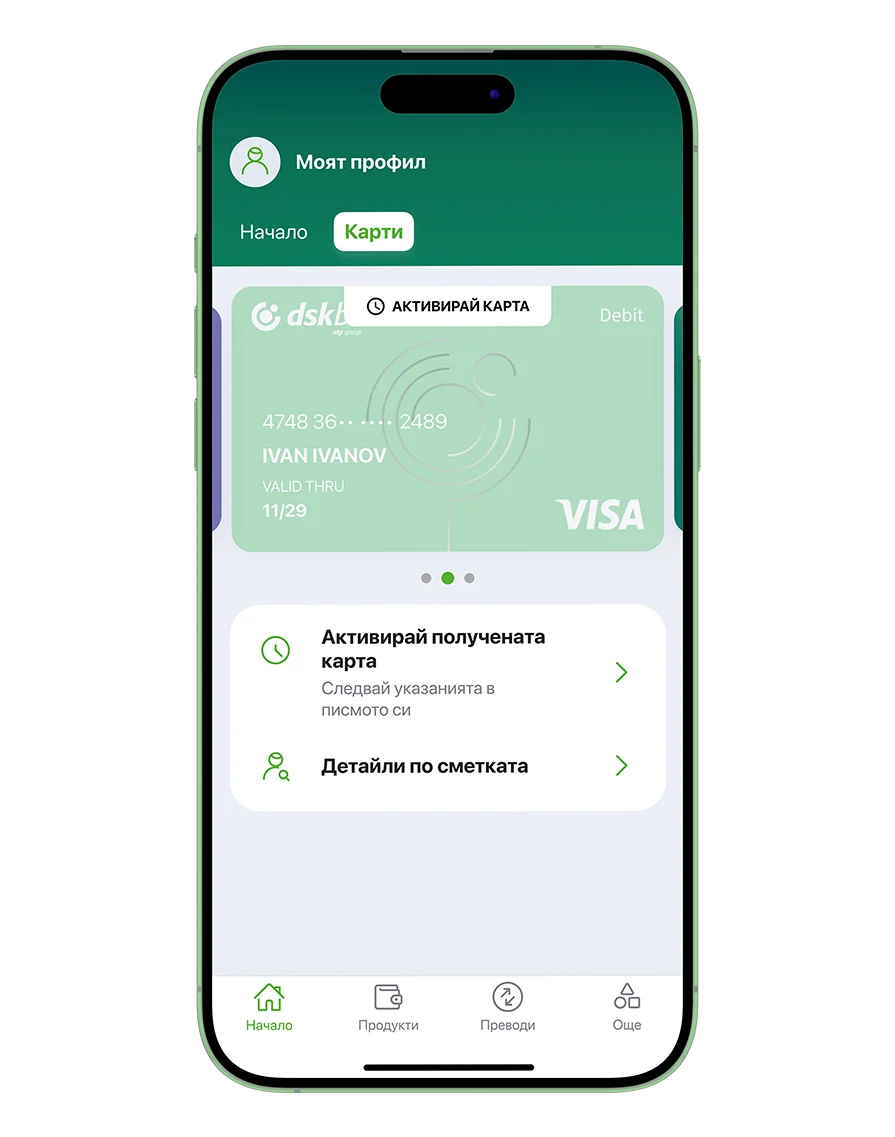
Activate your card
Activate the physical card for your new or reissued card once you receive it.
- Open the Cards menu and select Activate Received Card
- If the card is new, its PIN will be displayed on the screen.
Card details
View and easily copy all your card details, even when you do not have the physical card with you.
- Open Cards > Card details
Block or unblock card
Block a lost or stolen card in seconds. If the card is found, you can unblock it and continue using it.
- Open Cards > Block / Unblock
Card limits
Manage your daily payments and cash withdrawal limits entirely online.
- Open Cards > Limits